1.Getting started
Thank you for choosing Sufia. This guide takes you from an empty WordPress site to a finished news magazine built from Sufia's widget homepages. Read sections 1 and 2 first; the rest can be read in any order. Use the search box on the left to jump to any setting. Every name below is the exact label you see in WordPress.
What is in the download
| File | What it is |
|---|---|
sufia.zip | The installable WordPress theme. This is the file you upload in WordPress. |
documentation/ | This documentation. Open index.html in any browser; it works offline. |
licensing/ | GPL license texts and credits. |
sufia.zip, not the whole ThemeForest download. Uploading the main package gives the error "The package could not be installed. The theme is missing the style.css stylesheet."Requirements
| Item | Minimum | Recommended |
|---|---|---|
| WordPress | 6.0 | Latest version (Sufia 3.0 is tested up to 7.1) |
| PHP | 8.0 | 8.2 or newer (tested 8.2 - 8.5) |
| PHP memory limit | 128M | 256M (the demo import likes more memory) |
| max_execution_time | 60 | 300 (for the demo import) |
| Permalinks | Any setting except "Plain" Settings → Permalinks → "Post name". |
Install the theme
- Go to Appearance → Themes and click Add New Theme, then Upload Theme.
- Click Choose File, select
sufia.zipand click Install Now. - Click Activate. A notice at the top now lists the plugins Sufia uses (next step).
sufia.zip and upload the sufia folder to wp-content/themes/ with FTP or your host's file manager, then activate it in Appearance → Themes.Required and recommended plugins
After activation go to Appearance → Install Plugins (or click Begin installing plugins in the notice). Select the plugins, choose Install in Bulk actions and click Apply, then activate them the same way. All plugins come from WordPress.org.
| Plugin | Required? | What it does in Sufia |
|---|---|---|
| Redux Framework | Required | Runs Appearance → Theme Options (logo, header style, colors, fonts ...) and the one-click demo import. |
| WP AJAX Login and Register | Recommended | The login / register window opened from the main menu (option Enable Login in Main Menu). |
| Contact Form 7 | Recommended | The form on the Contact page. |
| WooCommerce | Optional | Shop. Sufia styles the shop, product, cart and checkout pages. |
| bbPress | Optional | Forums. Sufia styles the forum pages and adds a BBPress Sidebar. |
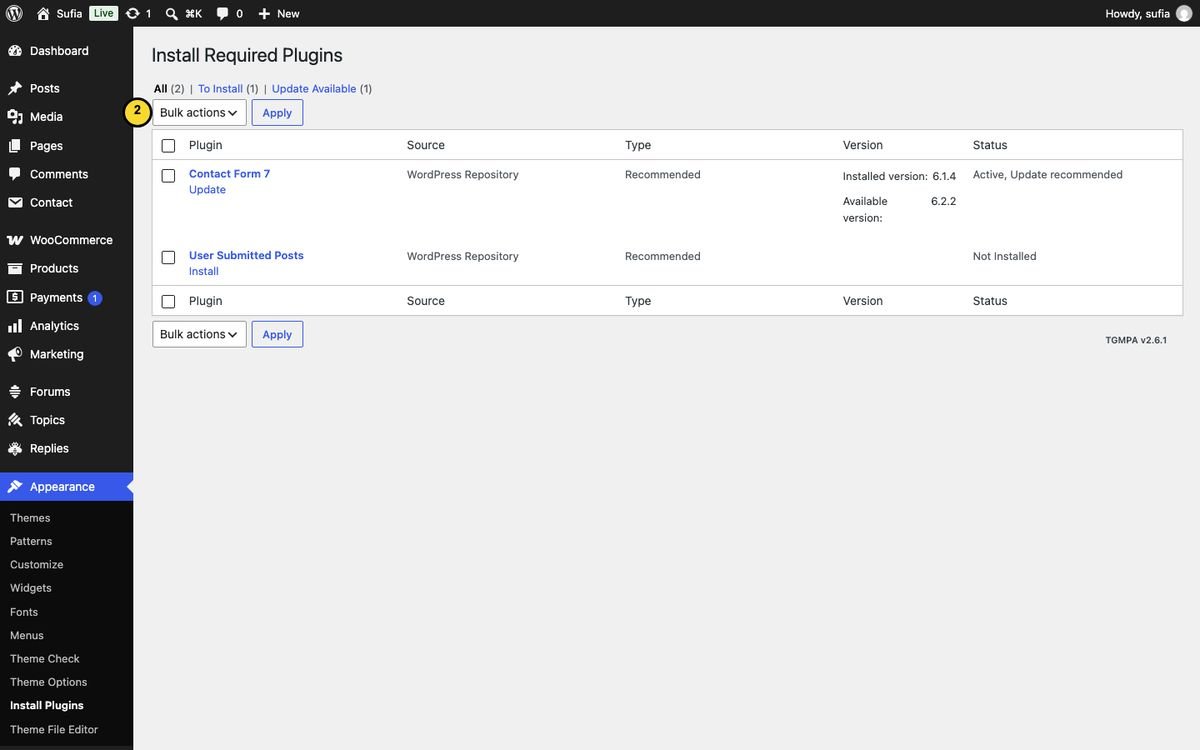
Sufia 3.0 no longer needs ACF, Sticky Sidebar, Single Post Template or WP-PostViews: their features are now built into the theme. User Submitted Posts is no longer recommended; if you still use it, it keeps working (see the update notes below).
Updating from Sufia 1.x / 2.x to 3.0
- Make a backup of your site (files and database).
- Upload the new
sufia.zipin Appearance → Themes → Add New Theme → Upload Theme and choose Replace active with uploaded. Or delete the oldwp-content/themes/sufiafolder by FTP and upload the new one. - Your Theme Options, widgets, menus and posts stay as they are: the option name (
sufia_option) and all widget settings are unchanged. - Then you can deactivate and delete the old plugins that Sufia 3.0 replaces:
| Old plugin | Replaced by | Your data |
|---|---|---|
| ACF (Advanced Custom Fields 4) | The Post format media box on the post screen | Audio URL, video URL and gallery images are read from the same fields. |
| Single Post Template | WordPress post templates (Template in the post sidebar) | Posts keep their style; the value is moved to the new field automatically. |
| Theia Sticky Sidebar | Appearance → Theme Options → Blog Settings → Sticky Sidebar | While the old plugin is still active the theme leaves sticking to it and shows a notice. |
| WP-PostViews | Built-in view counter | The same views numbers are kept and shown. If the plugin stays active it keeps counting (no double count). |
Child theme
If you want to change template files, use a child theme so updates do not overwrite your changes. A minimal child theme is a folder sufia-child with a style.css containing Template: sufia in its header. Theme Options, widgets and menus keep working with the child theme.
2.One-click demo import
The demo import makes your site look like the live demo at sufia.fekbd.com: posts, pages, authors, images, menus, the 10 widget homepages, the shop and the forums, plus the Theme Options.
Import step by step
- Activate Redux Framework (required). Activate WooCommerce and bbPress first if you also want the shop and forum demo content.
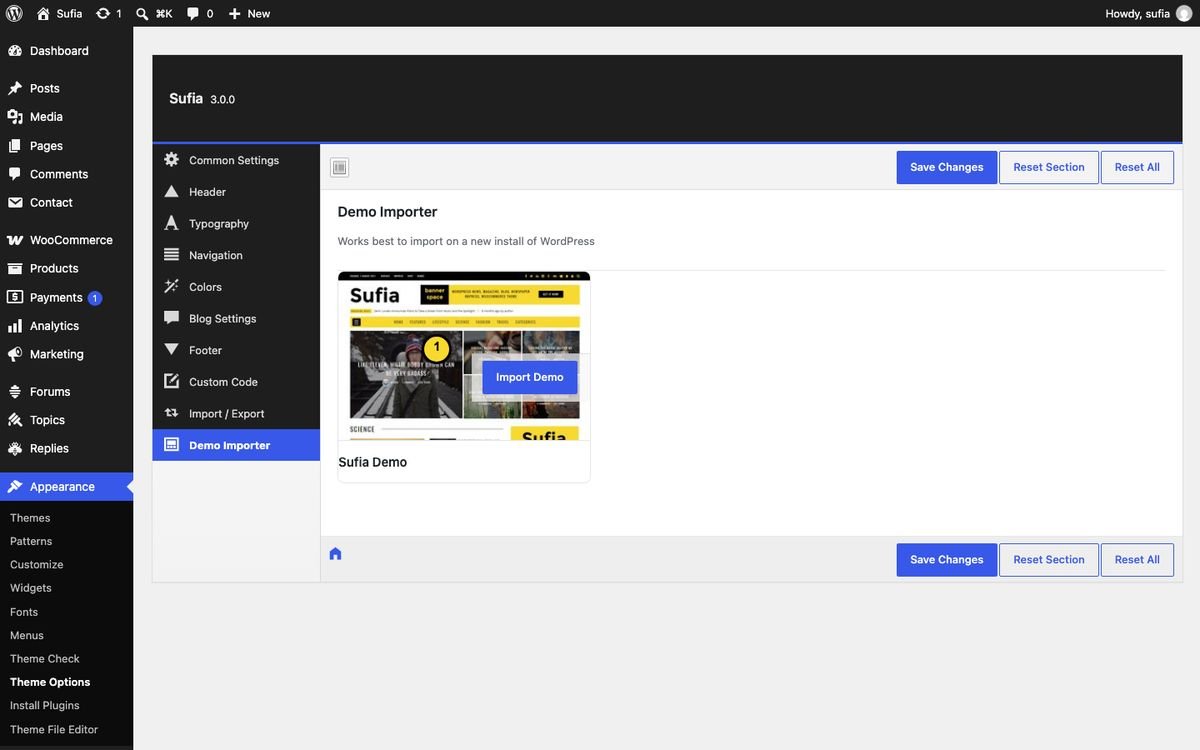
- Go to Appearance → Theme Options and open the Demo Importer tab.
- Click Import Demo on the Sufia Demo card and confirm. Keep the page open until the card shows Imported (one to five minutes).
What gets imported
- Everything is downloaded from the demo site during the import (see below), so your server needs an internet connection.
- About 80 posts in 9 categories, with five demo authors (name, photo, job title, bio and social links). Dates are refreshed at import time, so the newest post is about one hour old.
- Images are downloaded from the live demo (
sufia.fekbd.com) into your Media Library. - Pages: homepage one ... homepage ten, Authors List, Page with Sidebar, Contact, Typography, Shop / Cart / Checkout / My Account.
- Menus, assigned to Top Menu, Main Menu, Footer Menu and Off Canvas Menu.
- All widgets of the 10 homepages, the sidebars, the header banner and the footer. Widgets that WordPress put in a new site's sidebars are moved to Inactive Widgets.
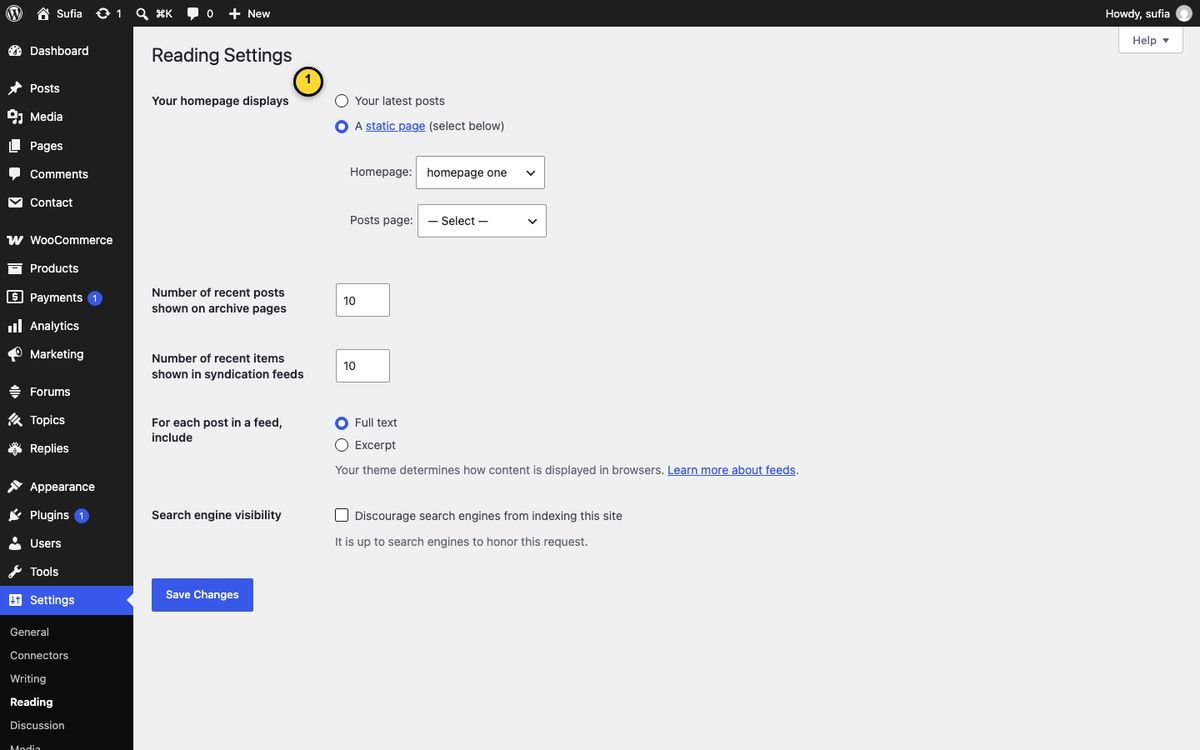
- Theme Options, and Settings → Reading → "homepage one" as the front page.
- Products and forums (only when WooCommerce / bbPress are active).
Common problems
| Problem | Solution |
|---|---|
| "Could not download ..." or "size / checksum mismatch" | Your server could not fetch the demo data. Try again; if it keeps failing use the manual import below (Where the demo data comes from). |
| The import stops or images are missing | Raise max_execution_time to 300 and the memory limit to 256M, then click Re-Import. Posts that already exist are skipped, missing images are added. |
| Homepage sections are empty | Import with the categories in place (the importer maps the demo categories to yours). If you renamed categories, open each widget in Appearance → Widgets and pick the category again. |
| "Hello world!" or WordPress sample widgets show | They only appear when the site was not new. Trash the sample post and remove extra widgets in Appearance → Widgets. |
| Front page is the blog list | Settings → Reading → "A static page" → Homepage: "homepage one". |
Where the demo data comes from / manual import
To keep the theme small, the demo data is not inside sufia.zip. When you click Import Demo, Sufia downloads it from https://sufia.fekbd.com/demo-data/3.0.0/ and checks every file (size and checksum) before anything is imported. If a download fails, nothing is imported and a message tells you why.
If your server cannot reach the demo site (some hosts block outgoing connections), import manually:
- Download
sufia-demo-data-3.0.0.zipon your computer and unzip it (5 files: content.xml, widgets.txt, theme-options.json, categories.json, authors.json). - With FTP or your host's file manager, create the folder
wp-content/uploads/sufia-demo-data/3.0.0/and upload the 5 files into it. - Go back to Appearance → Theme Options → Demo Importer and click Import Demo. Sufia uses your uploaded files (they are checked the same way).
3.Theme Options
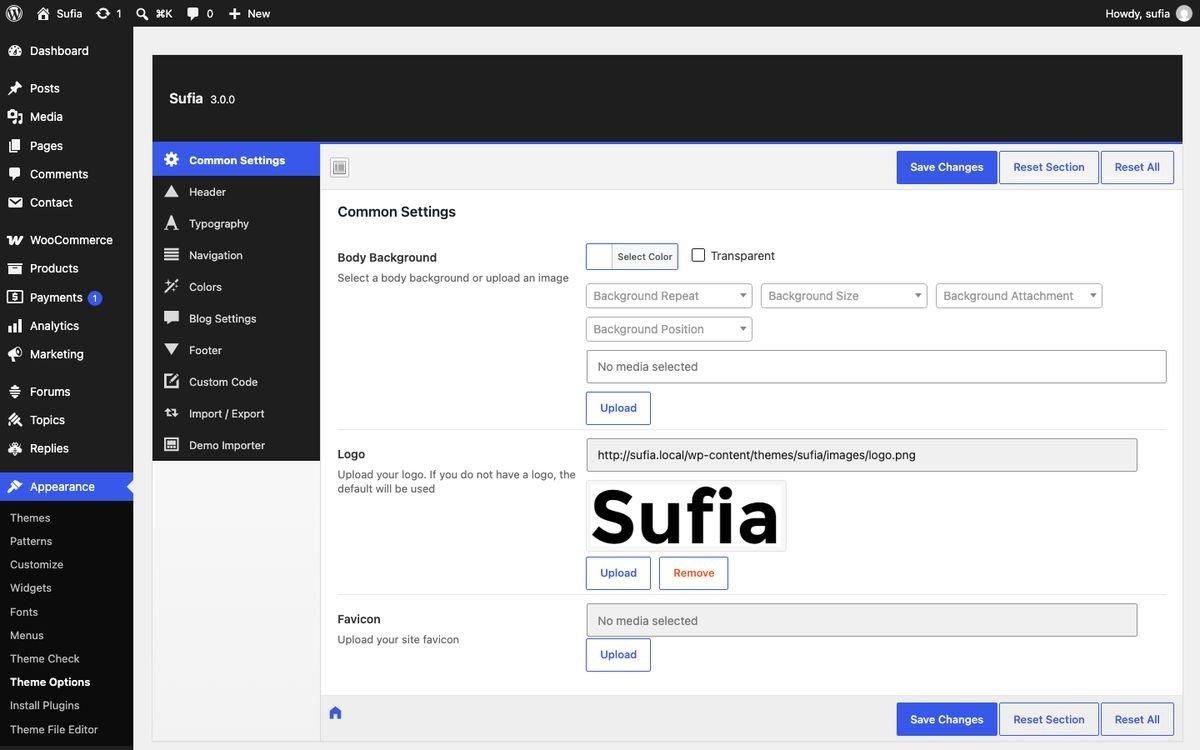
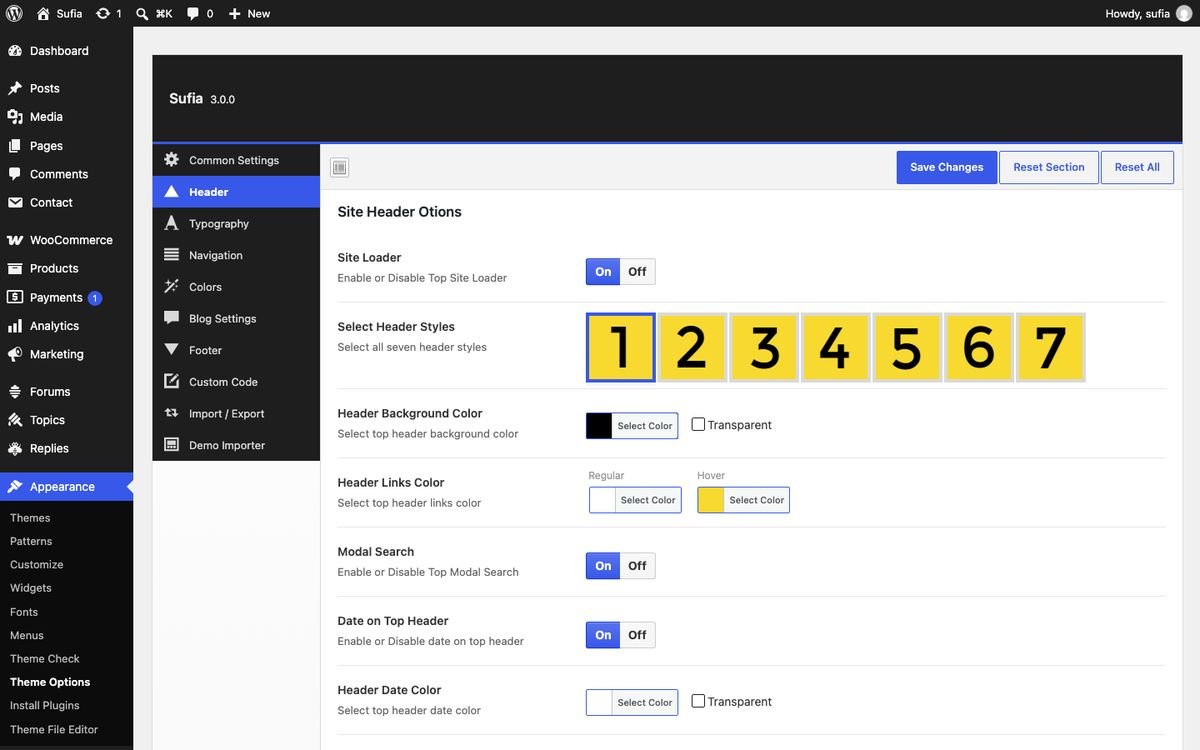
All global settings are in Appearance → Theme Options. Click Save Changes after editing; Reset Section restores the defaults of the open tab only. The tabs are described below in the same order.
Common Settings
| Field | Type | What it does |
|---|---|---|
| Body Background | background | Select a body background or upload an image |
| Logo | media | Upload your logo. If you do not have a logo, the default will be used |
| Favicon | media | Upload your site favicon |
Header
| Field | Type | What it does |
|---|---|---|
| Site Loader | switch | Enable or Disable Top Site Loader |
| Select Header Styles | image select | Select all seven header styles |
| Header Background Color | color | Select top header background color |
| Header Links Color | link color | Select top header links color |
| Modal Search | switch | Enable or Disable Top Modal Search |
| Date on Top Header | switch | Enable or Disable date on top header |
| Header Date Color | color | Select top header date color |
| News Scroller | switch | Enable or Disable Hedaer News Scroller |
| News Scroller Title | text | What will be news scroller heading? Default is BREAKING NEWS. Change as you like. |
| Header Social Links | switch | Enable or Disable Top Social Links |
| text | Enter Your facebook url | |
| text | Enter Your Twitter profile url | |
| text | Enter Your LinkedIn profile url | |
| text | Enter Your Instagram Profile url | |
| Google Plus | text | Kept for compatibility; Google+ closed in 2019 and the icon/button is hidden. |
| text | Enter Your Pinterest profile URL | |
| Behance | text | Enter Your Behance profile URL |
| Windows | text | Enter Your Windows app URL |
| Android | text | Enter Your Android app URL |
| Apple | text | Enter Your iPhone app URL |
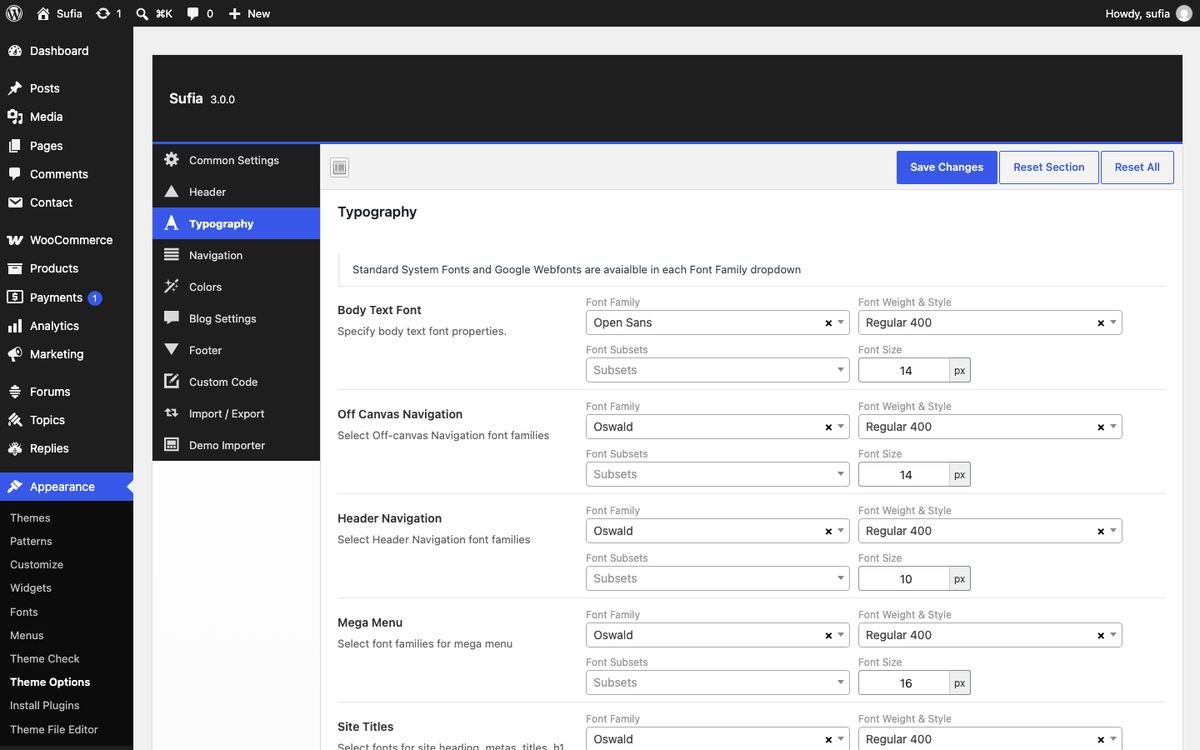
Typography
| Field | Type | What it does |
|---|---|---|
| Body Text Font | typography | Specify body text font properties. |
| Off Canvas Navigation | typography | Select Off-canvas Navigation font families |
| Header Navigation | typography | Select Header Navigation font families |
| Mega Menu | typography | Select font families for mega menu |
| Site Titles | typography | Select fonts for site heading, metas, titles, h1 h2 h3 h4 h5 |
| Blog Titles | typography | Select fonts for blog titles |
| Sidebar Fonts | typography | Select fonts for site heading titles |
| Category Title | typography | Select font families for category |
| Featured Post Style One | typography | Select font families for Featured Style 1 First Post Title |
| Featured Post Style One | typography | Select font families for Featured Style 1 rest posts |
| Featured Post Style Two | typography | Select font families for Featured Style 2 First Post Title |
| Featured Post Style Two | typography | Select font families for Featured Style 2 rest post titles |
| Grid Post Style 1 Title (66%) | typography | Select font families for Grid Post Style 1 Title (66%) |
| Grid Post Style 1 Title (100%) | typography | Select font families for Grid Post Style 1 Title (100%) |
| Grid Post Style 2 Title (66%) | typography | Select font families for Grid Post Style 2 Title (66%) |
| Grid Post Style 2 Title (100%) | typography | Select font families for Grid Post Style 2 Title (100%) |
| Grid Post Style 3 Title | typography | Select font families for Grid Post Style 3 Title |
| Grid Post Style 4 Title | typography | Select font families for Grid Post Style 4 Title |
| List Post Style Title (66%) | typography | Select font families for List Post Style Title (66%) |
| List Post Style Title (100%) | typography | Select font families for List Post Style Title (100%) |
| List Post Style Title (2 Columns & 100%) | typography | Select font families for List Post Style Title (2 Columns & 100%) |
| Standard Post Style Title | typography | Select font families for Standard Post Style Title |
Navigation
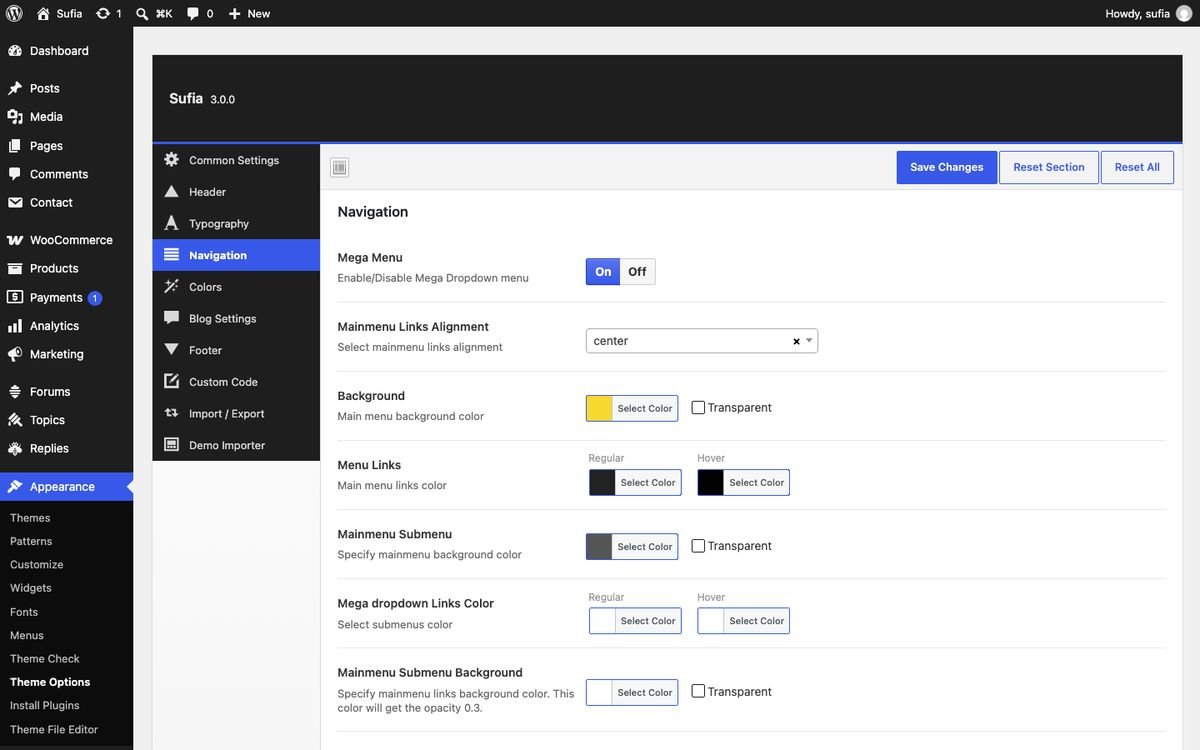
| Field | Type | What it does |
|---|---|---|
| Mega Menu | switch | Enable/Disable Mega Dropdown menu |
| Mainmenu Links Alignment | select | Select mainmenu links alignment Options: center, right, left. |
| Background | color | Main menu background color |
| Menu Links | link color | Main menu links color |
| Mainmenu Submenu | color | Specify mainmenu background color |
| Mega dropdown Links Color | link color | Select submenus color |
| Mainmenu Submenu Background | color | Specify mainmenu links background color. This color will get the opacity 0.3. |
| Menu Five Background | color | Menu Five background color |
| Enable Login in Main Menu | switch | Enable or Disable Main Menu Login |
| Off-canvas Menu Visibility | switch | Enable or Disable Off-Canvas Menu |
| Off-Canvas Background | color | Specify off-canvas background color |
| Off-canvas Menu Links | link color | Select offcanvas menu links color |
Colors
| Field | Type | What it does |
|---|---|---|
| Site Loader Color | color | Choose site loading color |
| Site Links Color | link color | Select link color for your site |
| Brand Color Background | color | Choose brand color for backgrounds |
| Brand Color | color | Choose brand color |
| Featured Posts 1 Title Color | color | Select featured post 1 title hover color |
| Featured Posts 2 Title Color | color | Select featured post 2 title hover color |
| List Style Title Color | color | Select list style title hover color |
| List Style 2 Columns Title Color | color | Select list style 2 column title hover color |
| List Style Full-width Title Color | color | Select list style full-width title hover color |
| Standard Style Title Color | color | Select standard style title hover color |
| Grid Style 1 Title Color | color | Select grid style 1 title hover color |
| Grid Style 1 Full-width Title Color | color | Select grid style full-width title hover color |
| Grid Style 2 Title Color | color | Select grid style 2 title hover color |
| Grid Style 2 Full-width Title Color | color | Select grid style 2 full-width title hover color |
| Grid Style 3 Title Color | color | Select grid style 3 title hover color |
| Grid Style 4 Title Color | color | Select grid style 4 title hover color |

Blog Settings
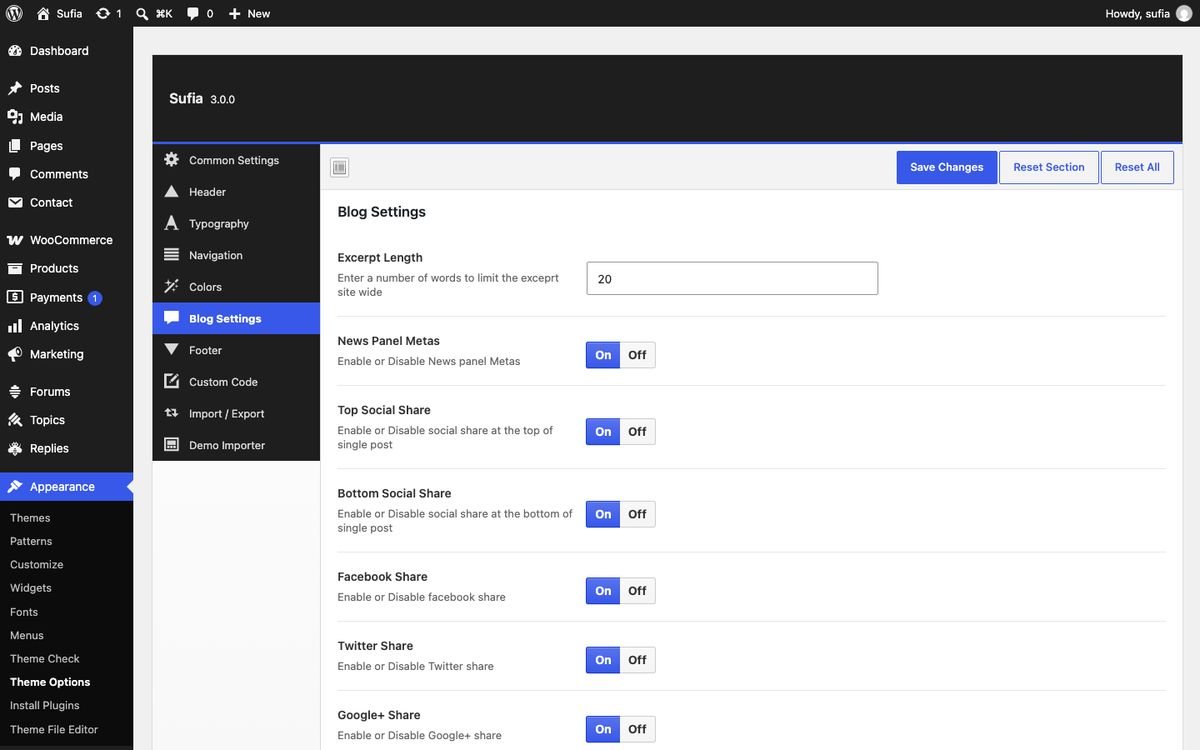
| Field | Type | What it does |
|---|---|---|
| Excerpt Length | text | Enter a number of words to limit the exceprt site wide |
| News Panel Metas | switch | Enable or Disable News panel Metas |
| Top Social Share | switch | Enable or Disable social share at the top of single post |
| Bottom Social Share | switch | Enable or Disable social share at the bottom of single post |
| Facebook Share | switch | Enable or Disable facebook share |
| Twitter Share | switch | Enable or Disable Twitter share |
| Google+ Share | switch | Kept for compatibility; Google+ closed in 2019 and the icon/button is hidden. |
| Share by Email | switch | Enable or Disable Email share |
| Show Tags | switch | Enable or Disable tags at bottom of single post |
| Author Box | switch | Enable or Disable Author Box |
| Sticky Sidebar | switch | The sidebar stays in view while the article or homepage scrolls (desktop, 992 px and wider). On phones the sidebar sits under the content. |
| Related Posts | switch | Enable or Disable Related Posts |
| Number of Related Post (66%) | text | Input the number of related posts, These numbers will look good! e.g: 2,4,6,8,10 |
| Number of Related Post (100%) | text | Input the number of related posts, These numbers will look good! e.g: 3,6,9,12 |
Footer
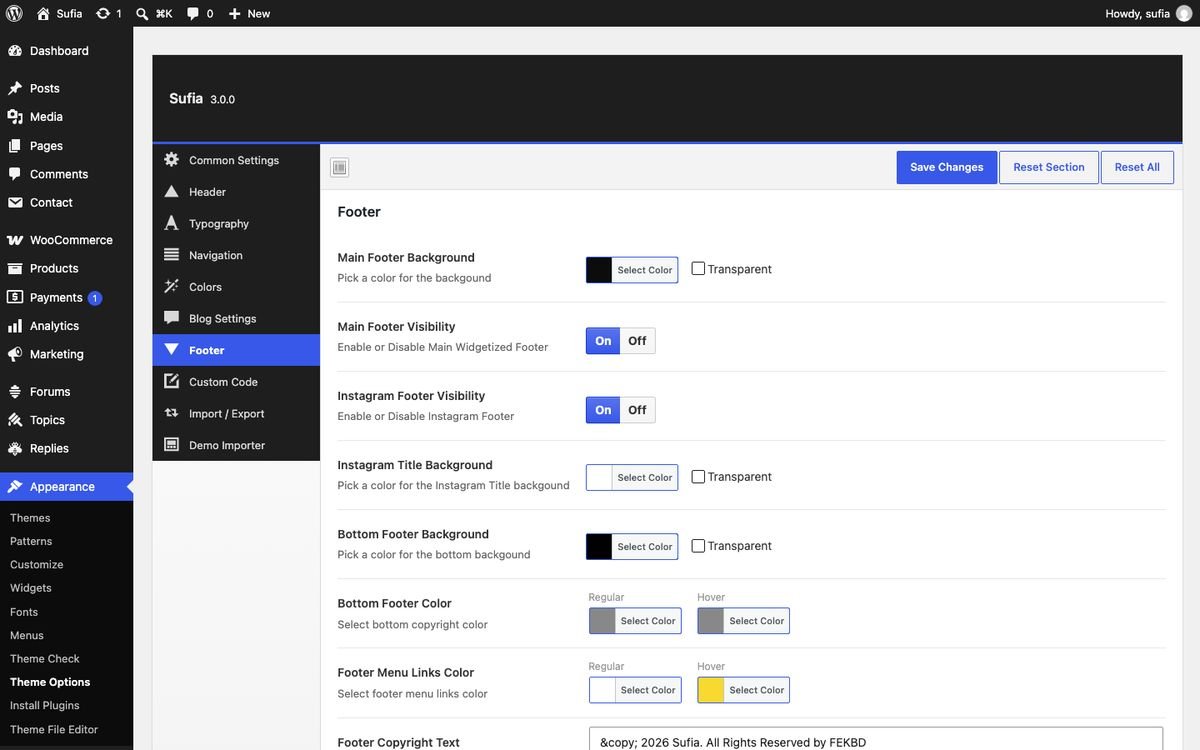
| Field | Type | What it does |
|---|---|---|
| Main Footer Background | color | Pick a color for the backgound |
| Main Footer Visibility | switch | Enable or Disable Main Widgetized Footer |
| Instagram Footer Visibility | switch | Legacy option without effect in Sufia 3.0 (kept so old settings import cleanly). |
| Instagram Title Background | color | Legacy option without effect in Sufia 3.0 (kept so old settings import cleanly). |
| Bottom Footer Background | color | Pick a color for the bottom backgound |
| Bottom Footer Color | link color | Select bottom copyright color |
| Footer Menu Links Color | link color | Select footer menu links color |
| Footer Copyright Text | textarea | Write your site copyright info |
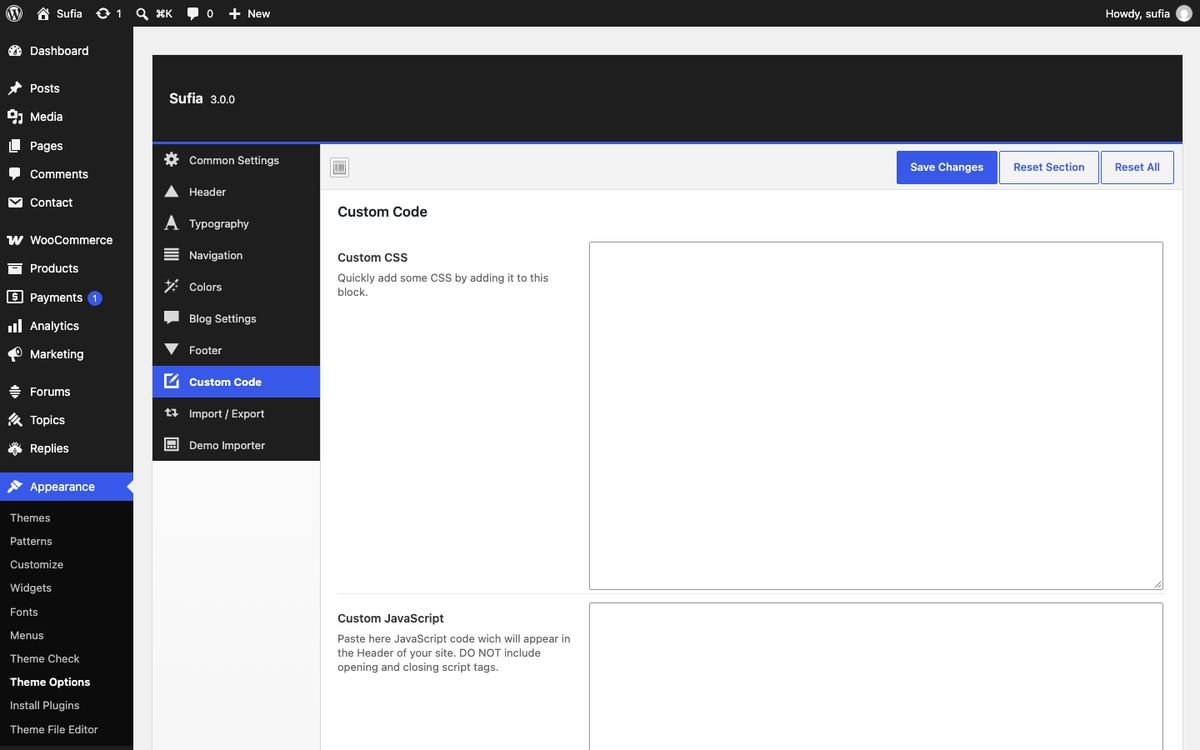
Custom Code
| Field | Type | What it does |
|---|---|---|
| Custom CSS | textarea | Quickly add some CSS by adding it to this block. |
| Custom JavaScript | textarea | Paste here JavaScript code wich will appear in the Header of your site. DO NOT include opening and closing script tags. |
| Custom JavaScript Footer | textarea | Paste JavaScript code wich will appear in the Footer of your site. DO NOT include opening and closing script tags. |
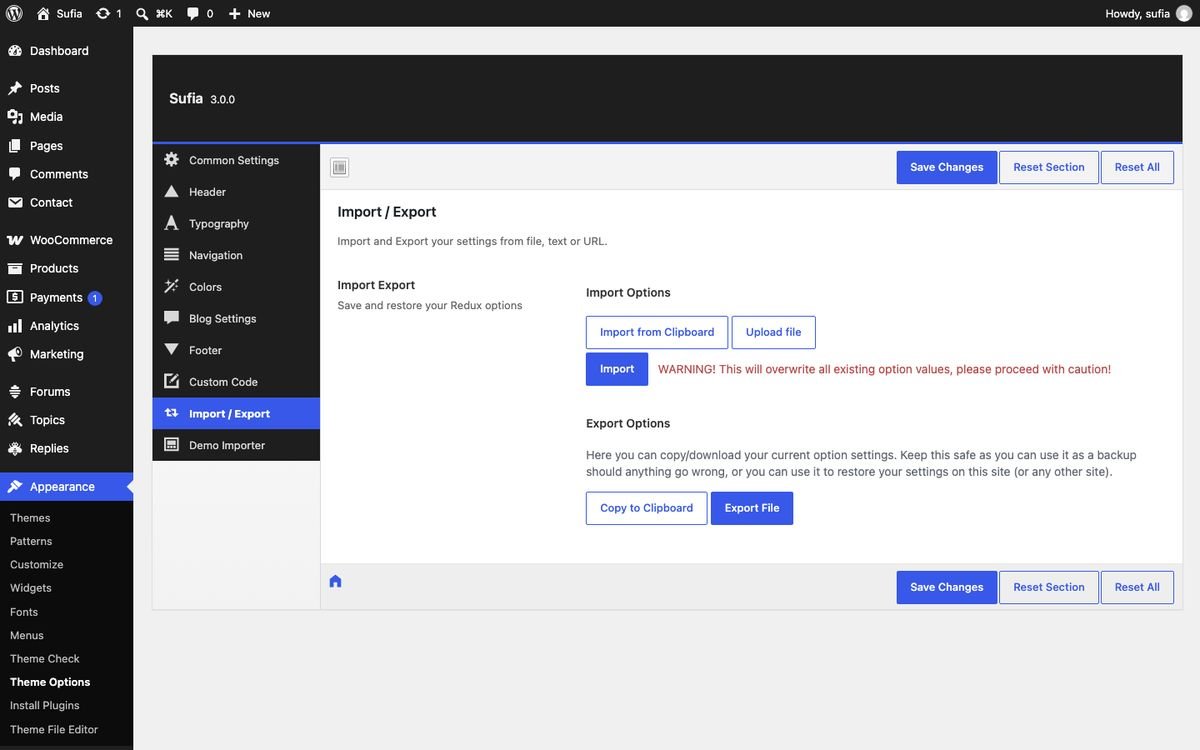
Import / Export
| Field | Type | What it does |
|---|---|---|
| Import Export | import export | Save and restore your Redux options |
4.The 10 widget homepages
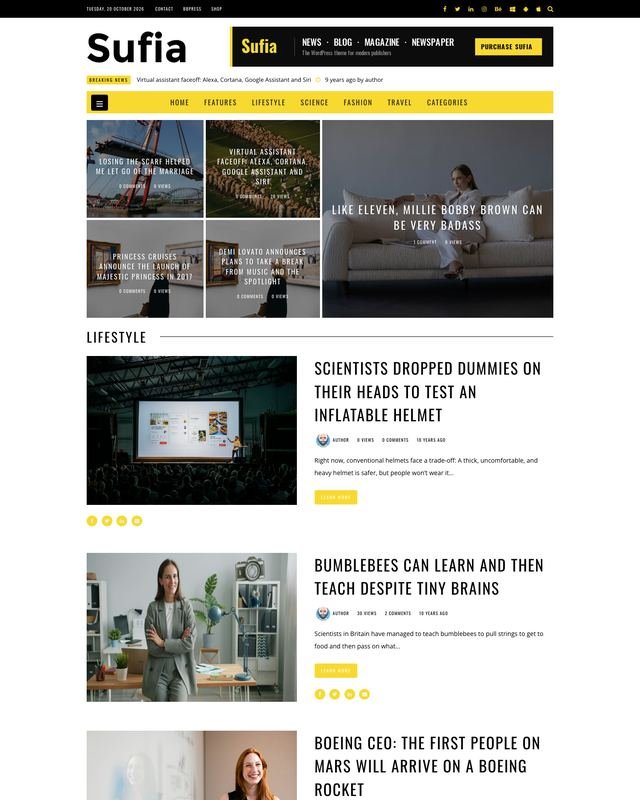
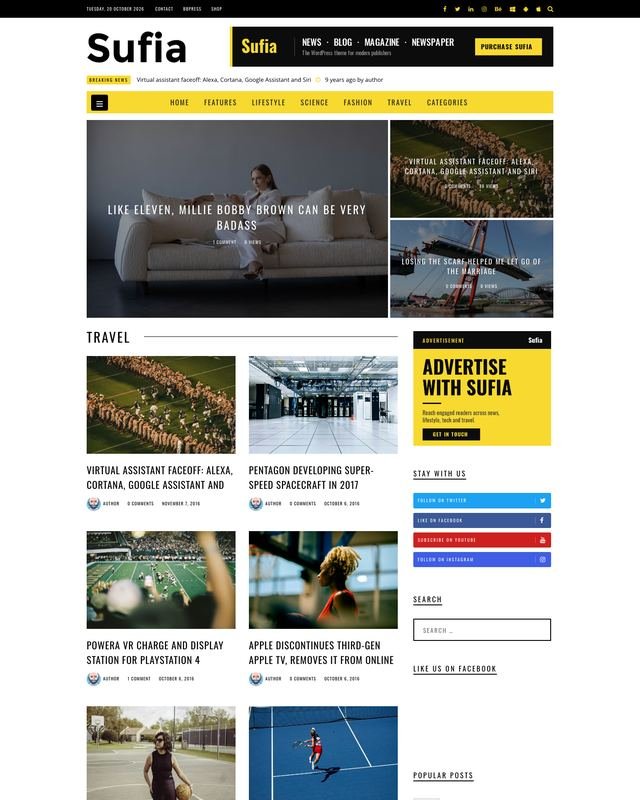
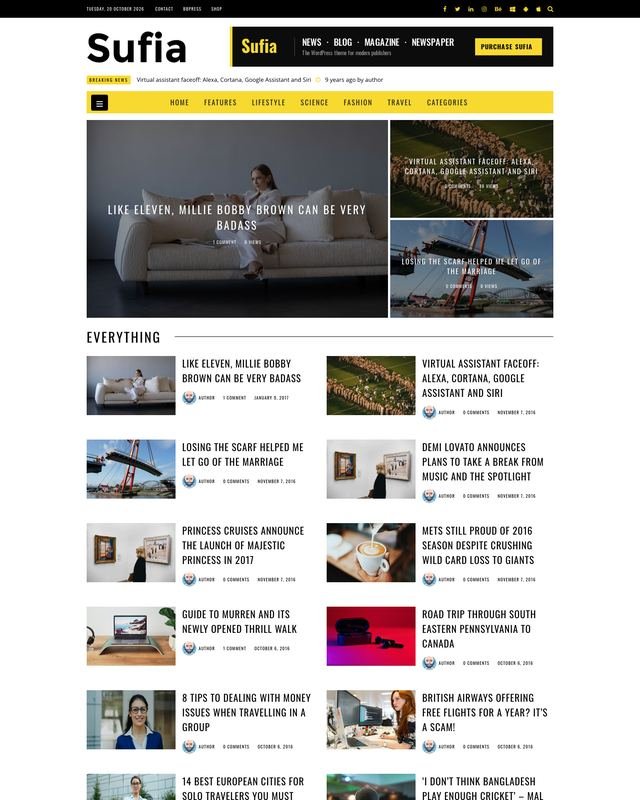
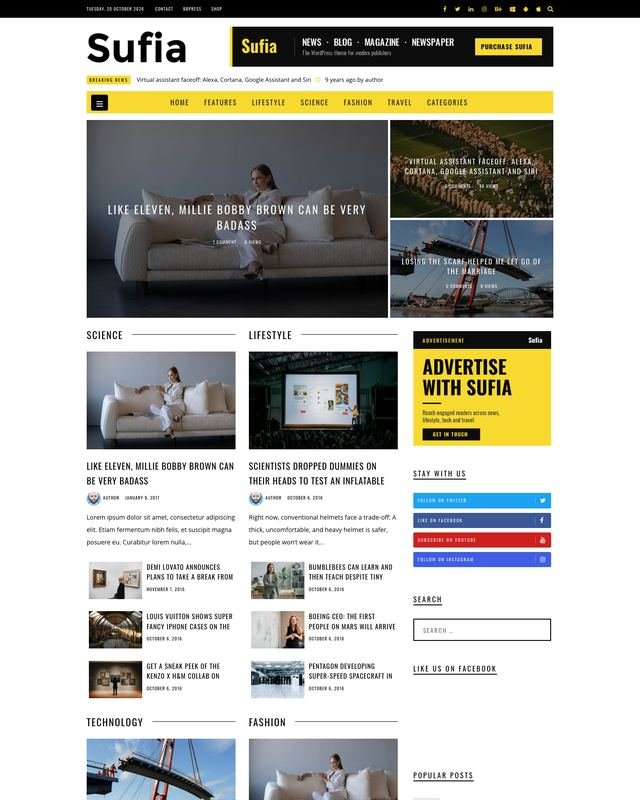
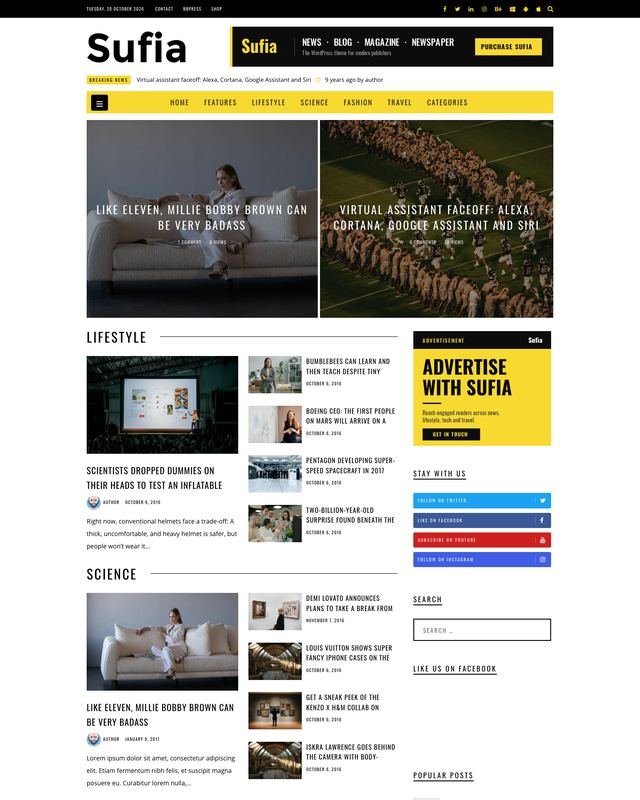
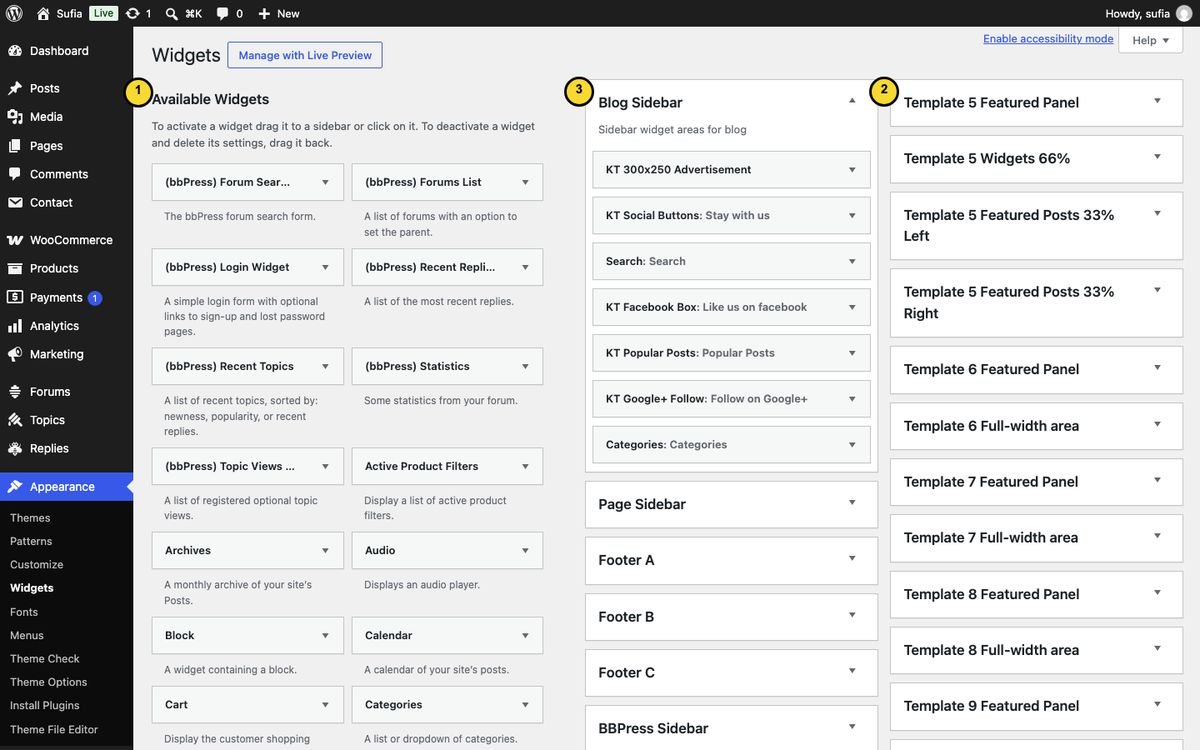
Each Sufia homepage is a WordPress page that uses one of the page templates Template One ... Template Ten. The template decides the layout (full width or with sidebar, 66% + 33% columns ...). The content comes from widget areas: each template has its own areas in Appearance → Widgets, named "Template N ...". You fill them with Sufia's KT widgets.





Build a homepage step by step
- Pages → Add New Page. Give it a title, for example "Home".
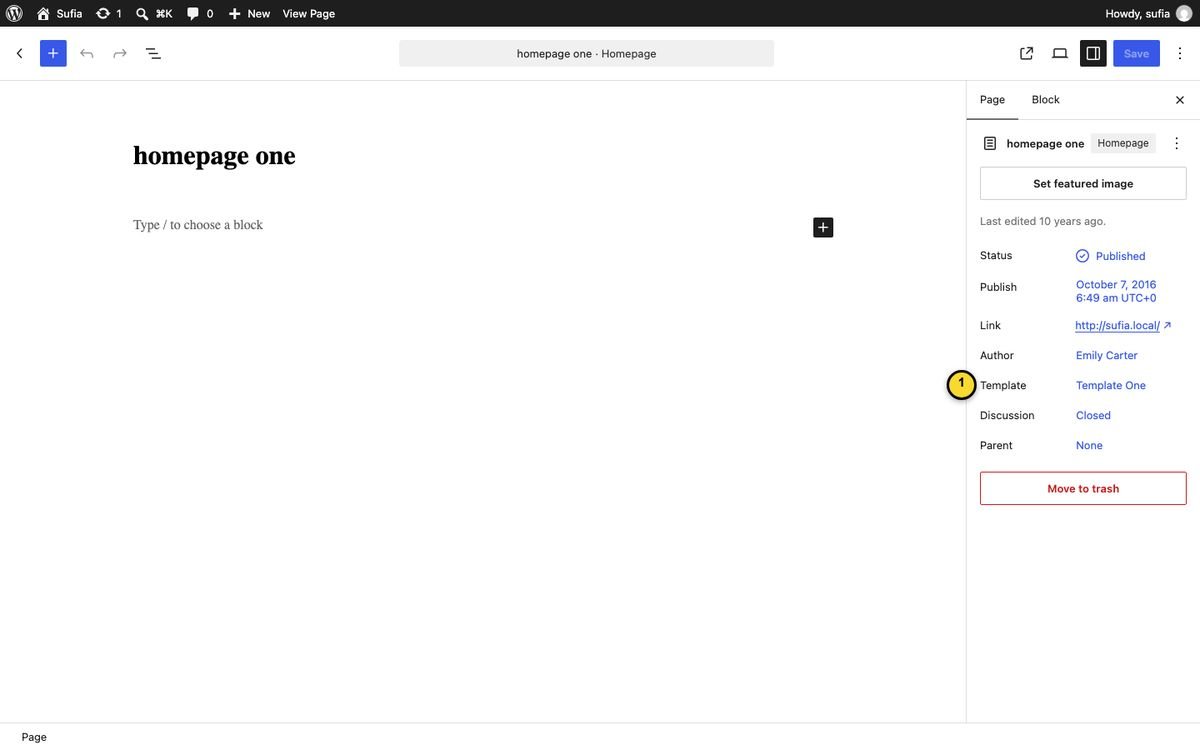
- In the page sidebar open Template and choose one of Template One ... Template Ten. Publish the page.
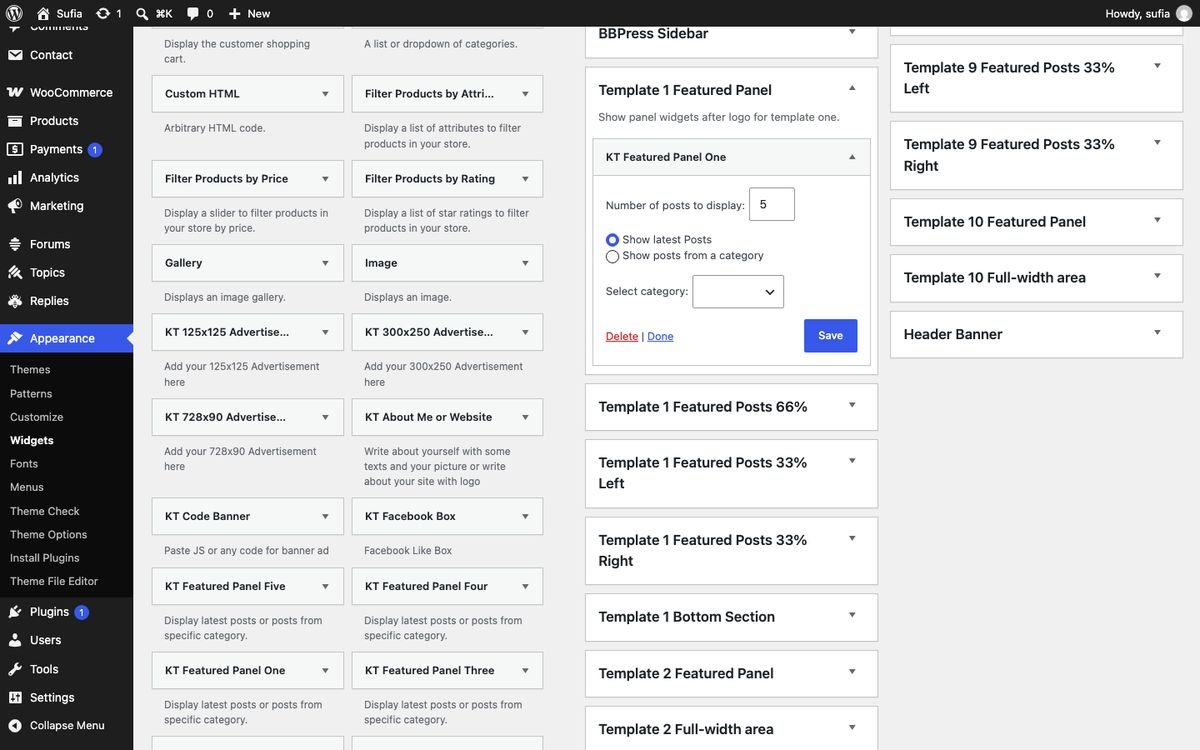
- Go to Appearance → Widgets. Find the areas that start with the template's number (for Template One: Template 1 Featured Panel, Template 1 Featured Posts 66% ...).
- Drag widgets from Available Widgets into the areas (or click a widget, choose the area and click Add Widget). Open each widget, set its options and click Save.
- Make it the front page: Settings → Reading → "A static page" → Homepage: your page.
What the demo homepages use
The table lists, for each template, its widget areas and the widgets the demo places there (top to bottom). Use it as a recipe. Widgets marked 66% are made for the content column next to the sidebar, 100% widgets for full-width areas.
| Template / demo page | Widget areas and demo widgets |
|---|---|
| Template One homepage one | Template 1 Featured Panel: KT Featured Panel One Template 1 Featured Posts 66%: KT Featured Posts (Style 1) Template 1 Featured Posts 33% Left: KT Featured Posts (Style 2) Template 1 Featured Posts 33% Right: KT Featured Posts (Style 2) Template 1 Bottom Section: KT List Style (66%), KT Grid Style Four (66%), KT Grid Style Two (66%) |
| Template Two homepage two | Template 2 Featured Panel: KT Featured Panel Two Template 2 Full-width area: KT List Style (100%), KT Grid Style One (100%), KT Grid Style Two (100%) |
| Template Three homepage three | Template 3 Featured Panel: KT Featured Panel Three Template 3 Full-width area: KT Grid Style Two (66%), KT Featured Posts (Style 1), KT Grid Style One (66%), KT Featured Posts (Style 1), KT List Style (66%) |
| Template Four homepage four | Template 4 Featured Panel: KT Featured Panel Four Template 4 Full-width area: KT Grid Style Four (66%), KT Grid Style Two (66%), KT Grid Style One (66%), KT Grid Style Three (66%) |
| Template Five homepage five | Template 5 Featured Panel: KT Featured Panel Five Template 5 Widgets 66%: KT Grid Style One (66%), KT Grid Style Four (66%), KT Grid Style Two (66%), KT Featured Posts (Style 1) Template 5 Featured Posts 33% Left: KT Featured Posts (Style 2) Template 5 Featured Posts 33% Right: KT Featured Posts (Style 2) |
| Template Six homepage six | Template 6 Featured Panel: KT Featured Panel Three Template 6 Full-width area: KT List Style (2 columns) |
| Template Seven homepage seven | Template 7 Featured Panel: KT Featured Panel Four Template 7 Full-width area: KT Grid Style Two (100%) |
| Template Eight homepage eight | Template 8 Featured Panel: KT Featured Panel One Template 8 Full-width area: KT List Style (100%), KT 728x90 Advertisement |
| Template Nine homepage nine | Template 9 Featured Panel: KT Featured Panel Three Template 9 Featured Posts 33% Left: KT Featured Posts (Style 2), KT Featured Posts (Style 2), KT Featured Posts (Style 2), KT Featured Posts (Style 2) Template 9 Featured Posts 33% Right: KT Featured Posts (Style 2), KT Featured Posts (Style 2), KT Featured Posts (Style 2), KT Featured Posts (Style 2) |
| Template Ten homepage ten | Template 10 Featured Panel: KT Featured Panel Five Template 10 Full-width area: KT Featured Posts (Style 1), KT Featured Posts (Style 1), KT Featured Posts (Style 1), KT Featured Posts (Style 1), KT Featured Posts (Style 1), KT Featured Posts (Style 1) |
5.Sufia widgets reference
All Sufia widgets start with KT in Appearance → Widgets. Post widgets share the same options: Title, Number of posts to display, Show latest Posts or Show posts from a category + Select category. Some also have a short description text under the title.
Homepage widgets
| Widget | Shows | Options | Best in |
|---|---|---|---|
| KT Google+ Follow | Google+ Follow widget | Title / Google+ Page URL | 66% areas |
| KT Featured Panel One | Display latest posts or posts from specific category. | Number of posts to display / Show latest Posts / Show posts from a category / Select category | Featured Panel areas |
| KT Featured Panel Two | Display latest posts or posts from specific category. | Number of posts to display / Show latest Posts / Show posts from a category / Select category | Featured Panel areas |
| KT Featured Panel Three | Display latest posts or posts from specific category. | Number of posts to display / Show latest Posts / Show posts from a category / Select category | Featured Panel areas |
| KT Featured Panel Four | Display latest posts or posts from specific category. | Number of posts to display / Show latest Posts / Show posts from a category / Select category | Featured Panel areas |
| KT Featured Panel Five | Display latest posts or posts from specific category. | Number of posts to display / Show latest Posts / Show posts from a category / Select category | Featured Panel areas |
| KT Featured Posts (Style 1) | Display latest posts or posts of specific category. | Title / Number of posts to display / Show latest Posts / Show posts from a category / Select category | 66% areas |
| KT Grid Style One (66%) | Display latest posts or category posts in Grid Style One. | Title / Number of posts to display / Show latest Posts / Show posts from a category / Select category | 66% areas |
| KT Grid Style One (100%) | Display latest posts or category posts in Grid Style One. | Title / Number of posts to display / Show latest Posts / Show posts from a category / Select category | full-width areas |
| KT Grid Style Two (66%) | Display latest posts or category posts in Grid Style Two. | Title / Number of posts to display / Show latest Posts / Show posts from a category / Select category | 66% areas |
| KT Grid Style Two (100%) | Display latest posts or category posts in Grid Style Two. | Title / Number of posts to display / Show latest Posts / Show posts from a category / Select category | full-width areas |
| KT Grid Style Three (66%) | Display latest posts or category posts in Grid Style Three. | Title / Number of posts to display / Show latest Posts / Show posts from a category / Select category | 66% areas |
| KT Grid Style Four (66%) | Display latest posts or category posts in Grid Style Four. | Title / Number of posts to display / Show latest Posts / Show posts from a category / Select category | 66% areas |
| KT List Style (66%) | Display latest posts or category posts in List Style. | Title / Number of posts to display / Show latest Posts / Show posts from a category / Select category | 66% areas |
| KT List Style (2 columns) | Display latest posts or category posts in List Style. | Title / Number of posts to display / Show latest Posts / Show posts from a category / Select category | full-width areas |
| KT List Style (100%) | Display latest posts or category posts in List Style. | Title / Number of posts to display / Show latest Posts / Show posts from a category / Select category | full-width areas |
| KT Standard Style (66%) | Display latest posts or category posts in Standard Style. | Title / Number of posts to display / Show latest Posts / Show posts from a category / Select category | 66% areas |
| KT Slider One (100%) | Display latest posts or category posts in Slider One Style. | Title / Number of posts to display / Show latest Posts / Show posts from a category / Select category | full-width areas |
| KT Featured Posts (Style 2) | Display latest posts or posts of specific category. | Title / Number of posts to display / Show latest Posts / Show posts from a category / Select category | 33% areas |
| KT 728x90 Advertisement | Add your 728x90 Advertisement here | Title / Add your Advertisement 728x90 Images Here / Advertisement URL / Banner Image (Copy/paste the banner image's link here and click on Upload Image and Save) | header banner / full width |
| KT 300x250 Advertisement | Add your 300x250 Advertisement here | Title / Add your Advertisement 310xanysize Images Here / Advertisement URL / Banner Image (Copy/paste the banner image's link here and click on Upload Image and Save) | sidebars |
| KT 125x125 Advertisement | Add your 125x125 Advertisement here | Title / Add your Advertisement 125x125 Images Here / Advertisement Image Link 1 / Advertisement Image 1 / Advertisement Image Link 2 / Advertisement Image 2 / Advertisement Image Link 3 / Advertisement Image 3 / Advertisement Image Link 4 / Advertisement Image 4 / Advertisement Image Link 5 / Advertisement Image 5 / Advertisement Image Link 6 / Advertisement Image 6 | sidebars |
Sidebar and footer widgets
| Widget | Shows | Options |
|---|---|---|
| KT About Me or Website | Write about yourself with some texts and your picture or write about your site with logo | Name or Title / Image URL / Short text about the site |
| KT Social Follow | Put your social profile links to follow | Title / Center the social icons / Open social links in new window / Facebook / Twitter / LinkedIn / Instagram / YouTube / Vimeo / Behance / Dribbble / Pinterest / Tumblr / Flickr / Sound Cloud / Apple / Android / Windows / RSS URL |
| KT Latest Posts | Show All latest posts | Title / Maximum posts to show |
| KT Image Banner | Add image banner 300x300, 300x250 or 250x250 | Title / Image Banner URL / Image Banner Link / Do not display the title |
| KT Code Banner | Paste JS or any code for banner ad | Title / JS or Google AdSense Code / Do not display the title |
| KT Social Buttons | Displays buttons for your social profiles. | Widget Title / Twitter URI / Anchor text / Facebook URI / Google Plus URI / RSS URI / Youtube URI / Instagram URI / Flickr URI / Tumblr URI / VK URI / Pinterest URI / LinkedIn URI / Dribbble URI / GitHub URI |
| KT Popular Posts | Displays your most popular articles. | Title / Popular Posts |
| KT Facebook Box | Facebook Like Box | Title / Page name: (Without http://www.facebook.com/) |
| KT Latest Comments | Display the most latest comments | Title / Comments to show |
Widget areas outside the homepages: Blog Sidebar, Page Sidebar, Footer A, Footer B, Footer C, BBPress Sidebar, Header Banner.
6.Header
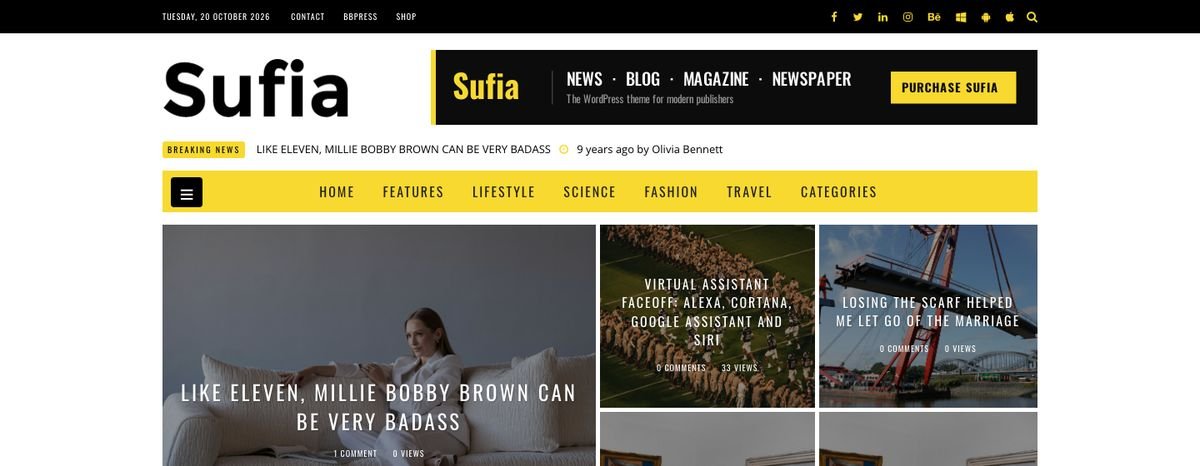
The 7 header styles
Choose the style in Appearance → Theme Options → Header → Select Header Styles and save.
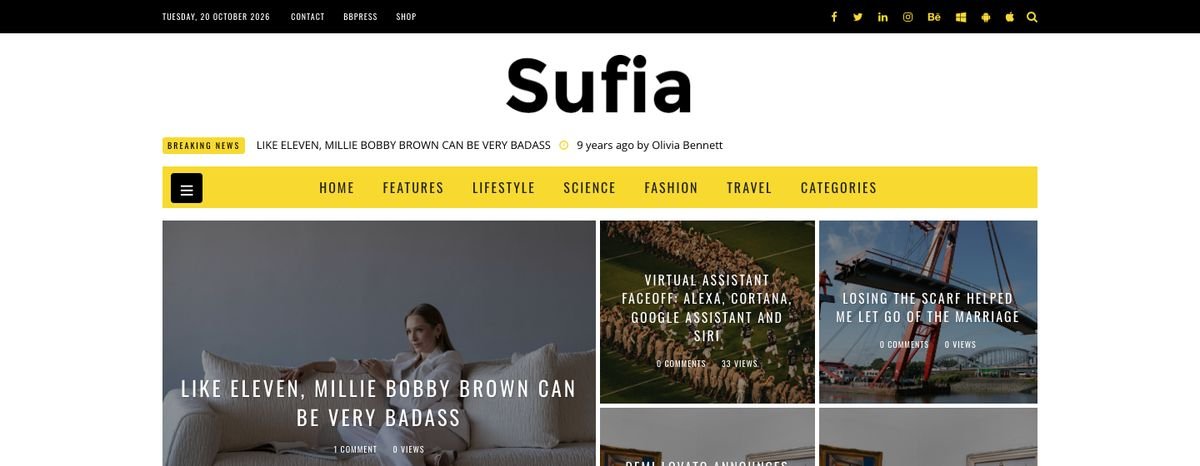
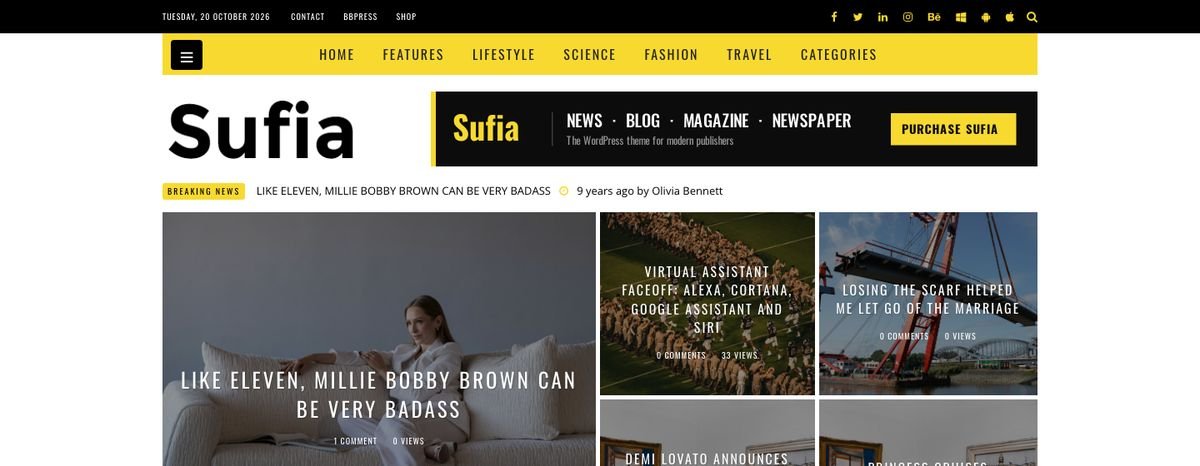
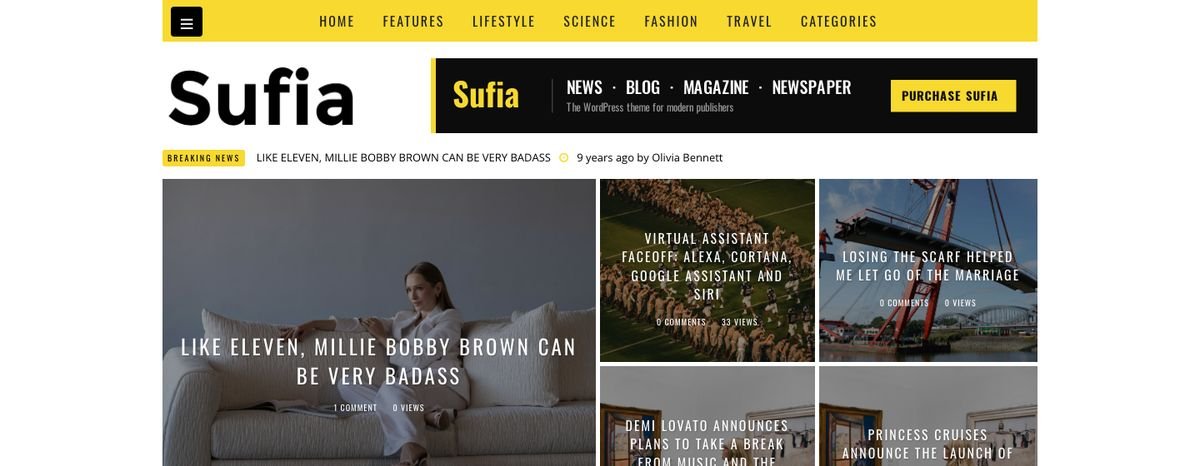
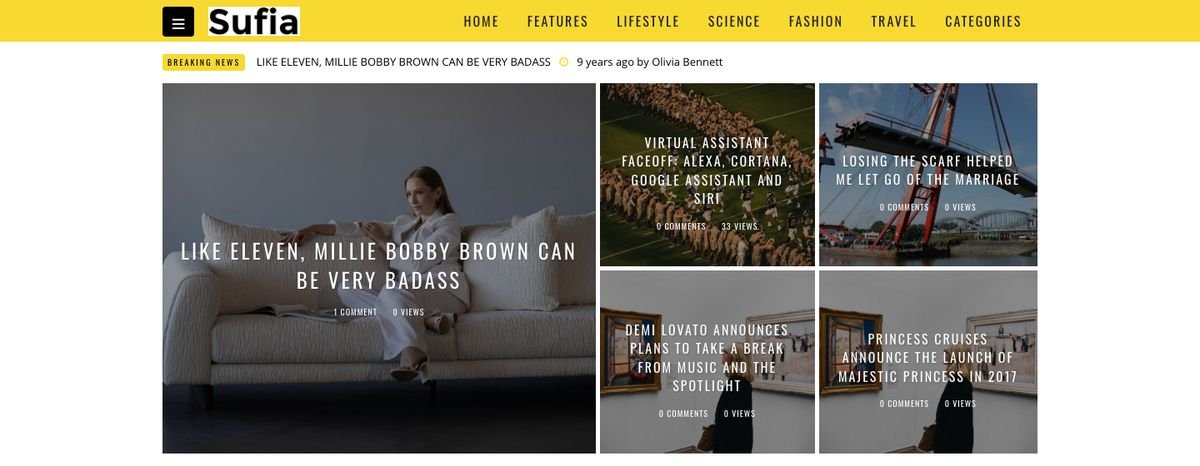
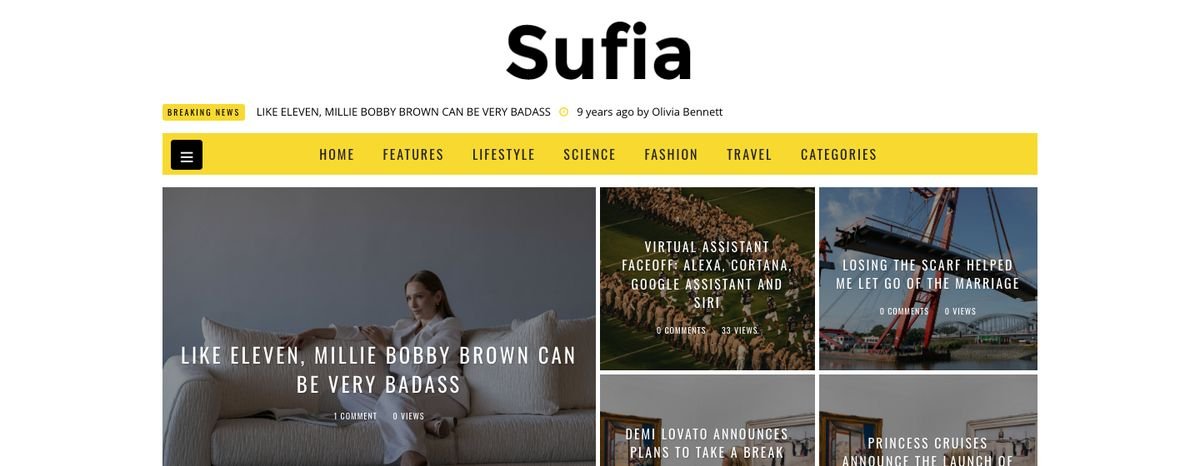
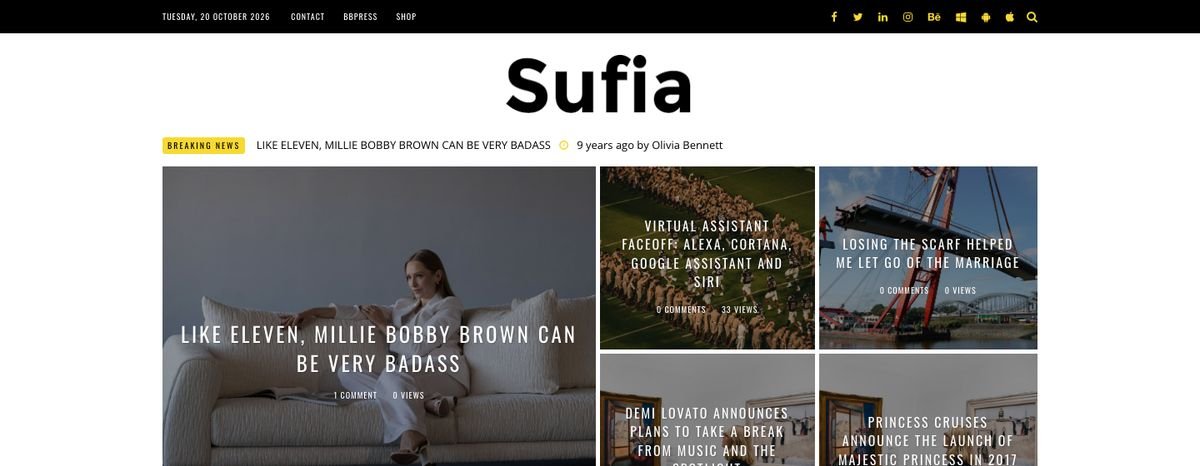
Logo, date and top bar
- Logo in Common Settings. Upload a PNG/SVG; the demo logo is 229 x 75 px. Without a logo the site title is shown.
- Date on Top Header, Header Background Color, Header Links Color and the social links are in the Header tab.
- The links next to the date come from the Top Menu location (section 7).
Breaking news scroller
News Scroller (on/off) and News Scroller Title (default "breaking news") in the Header tab. It shows the latest posts.
Search window
Modal Search in the Header tab adds a search icon to the top bar (header styles 1, 2, 3 and 7). It opens a full-screen search; Close, a click outside or the Esc key closes it. On phones the search icon is hidden.

Site loader
Site Loader (Header tab) shows a thin loading bar at the top while a page loads. Its color: Colors → Site Loader Color.
7.Menus, mega menu and off-canvas
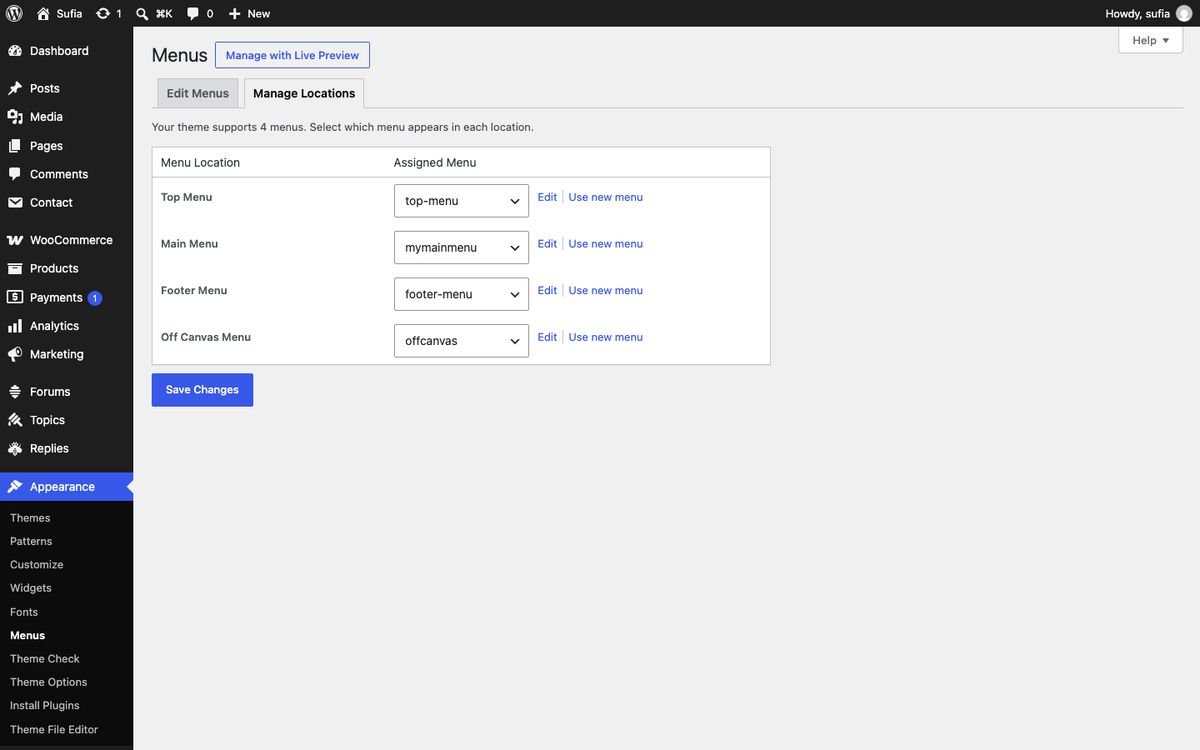
Menu locations
Create menus in Appearance → Menus and assign them in Manage Locations:
| Location | Where it shows |
|---|---|
| Top Menu | Small links in the black top bar next to the date. |
| Main Menu | The big yellow menu bar (with the mega menu). |
| Footer Menu | Links in the bottom footer bar, next to the copyright. |
| Off Canvas Menu | The panel that slides in from the left when the ☰ button is clicked. |
Mega menu
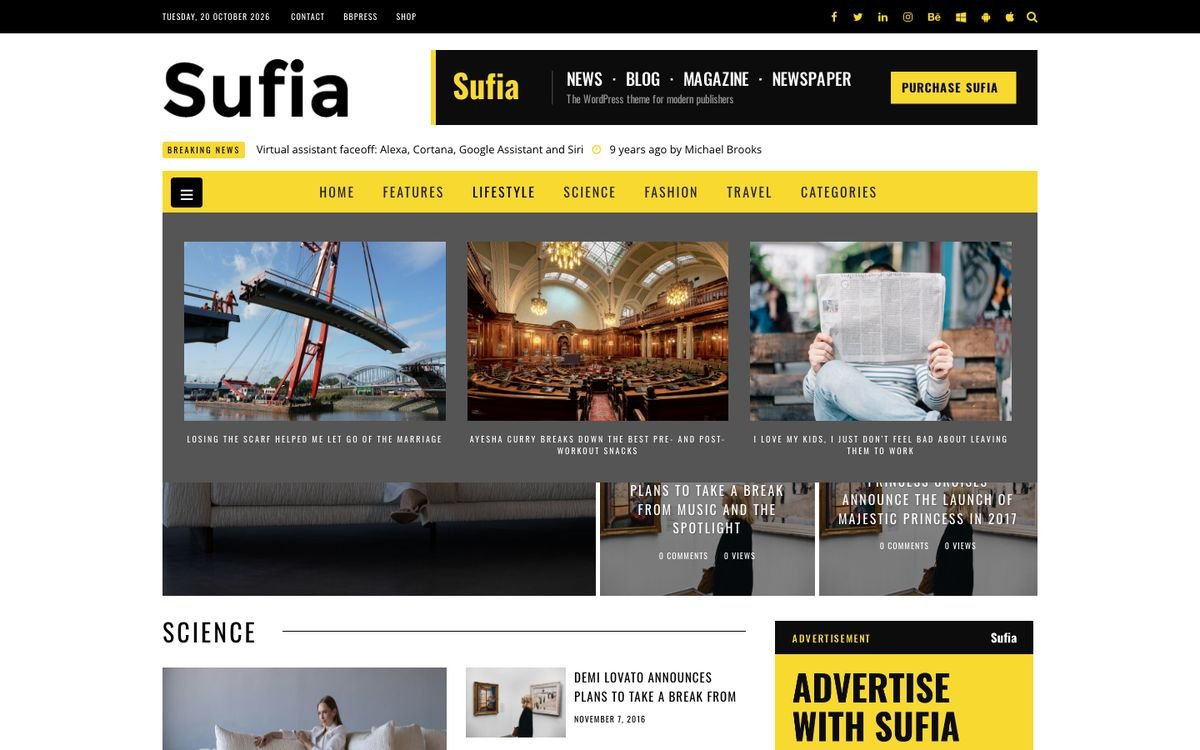
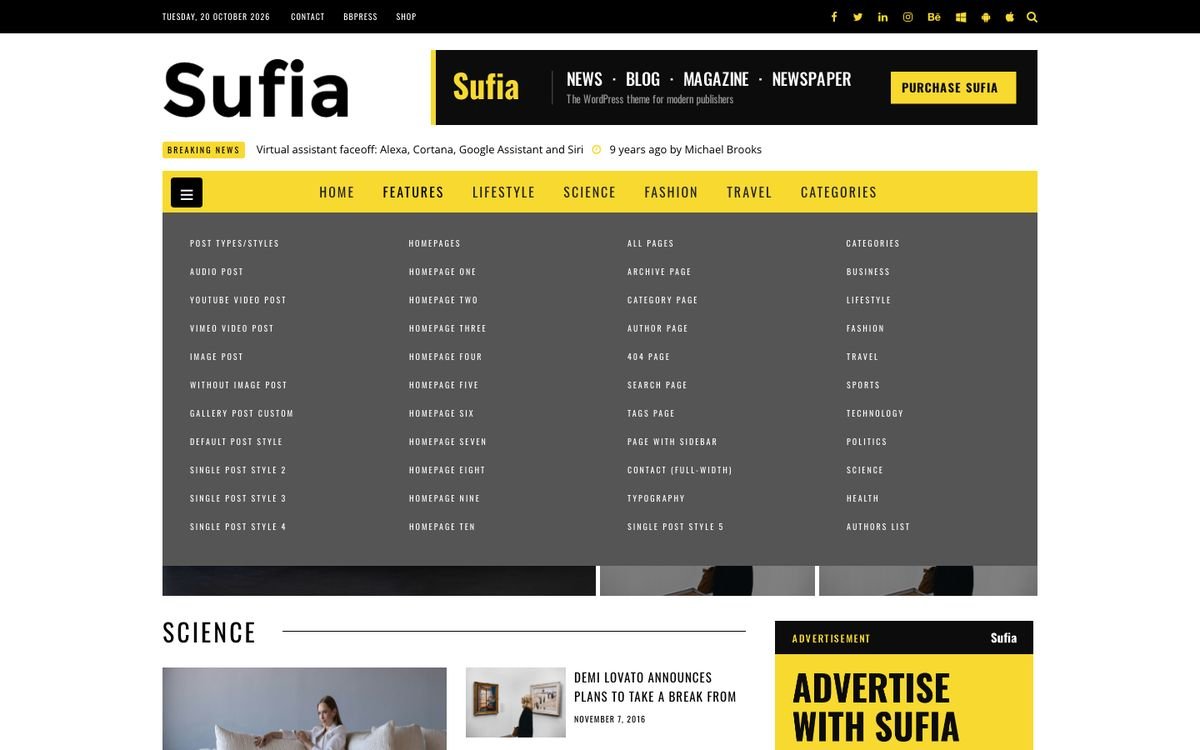
Turn it on in Appearance → Theme Options → Navigation → Mega Menu. Two kinds of mega panels are created automatically:
- Category items: add a category to the Main Menu (top level). On hover a panel shows its 3 latest posts with images.
- Column menus: give a top-level item children, and give those children their own sub-items. Each second-level item becomes a column title with its links below (the demo "Features" menu has 4 columns).
Off-canvas menu
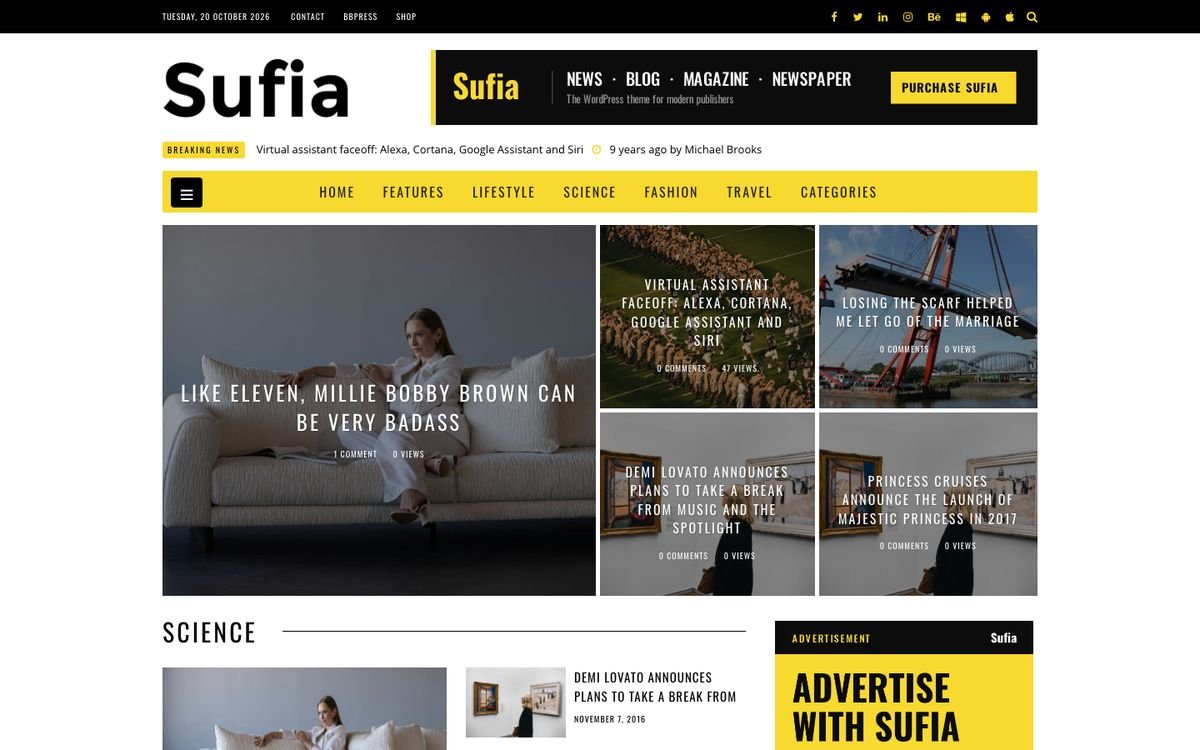
Off-canvas Menu Visibility (Navigation tab) shows the ☰ button at the left of the main menu. Assign a menu to Off Canvas Menu. Colors: Off-Canvas Background and Off-canvas Menu Links.
Mobile menu
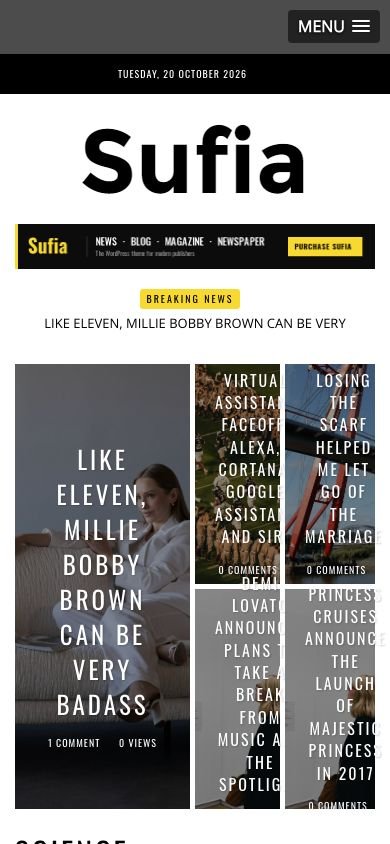
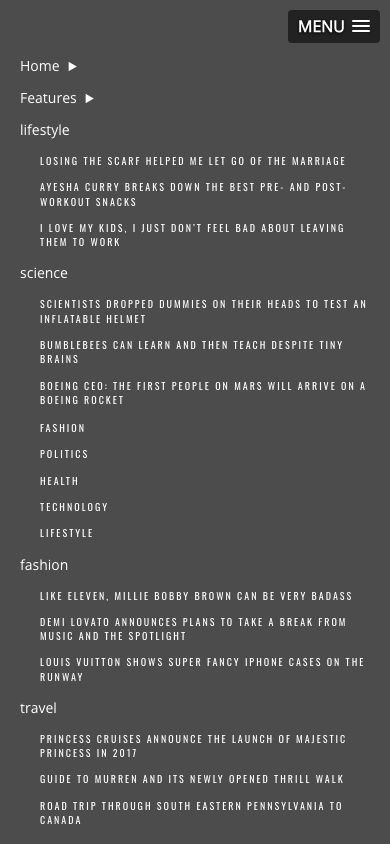
Below 992 px the Main Menu becomes a tap-to-open list. Nothing to set up.
Login in the main menu
With WP AJAX Login and Register active, Enable Login in Main Menu (Navigation tab) adds a Login / Register item that opens a login window.
8.Header and sidebar ads
Header banner 728 x 90
- Appearance → Widgets: drag KT 728x90 Advertisement into the Header Banner area.
- Add your Advertisement 728x90 Images Here: click Upload Image (or paste an image URL). Tip: upload the image at 1456 x 180 px for sharp retina screens.
- Advertisement URL: the link. Save.

Sidebar banner 300 x 250
Same steps with KT 300x250 Advertisement in Blog Sidebar (or Page Sidebar / Footer). The slot is 310 px wide; upload 620 x 500 px for retina.

Other ad widgets
- KT 125x125 Advertisement: up to 6 small square ads.
- KT Image Banner: any image with a link (300x300, 300x250, 250x250).
- KT Code Banner: paste Google AdSense or any ad code. Use it in the Header Banner area for a responsive AdSense unit.
- The 728x90 widget also fits full-width homepage areas (the demo uses one on homepage eight).
9.Posts
The 5 single post styles
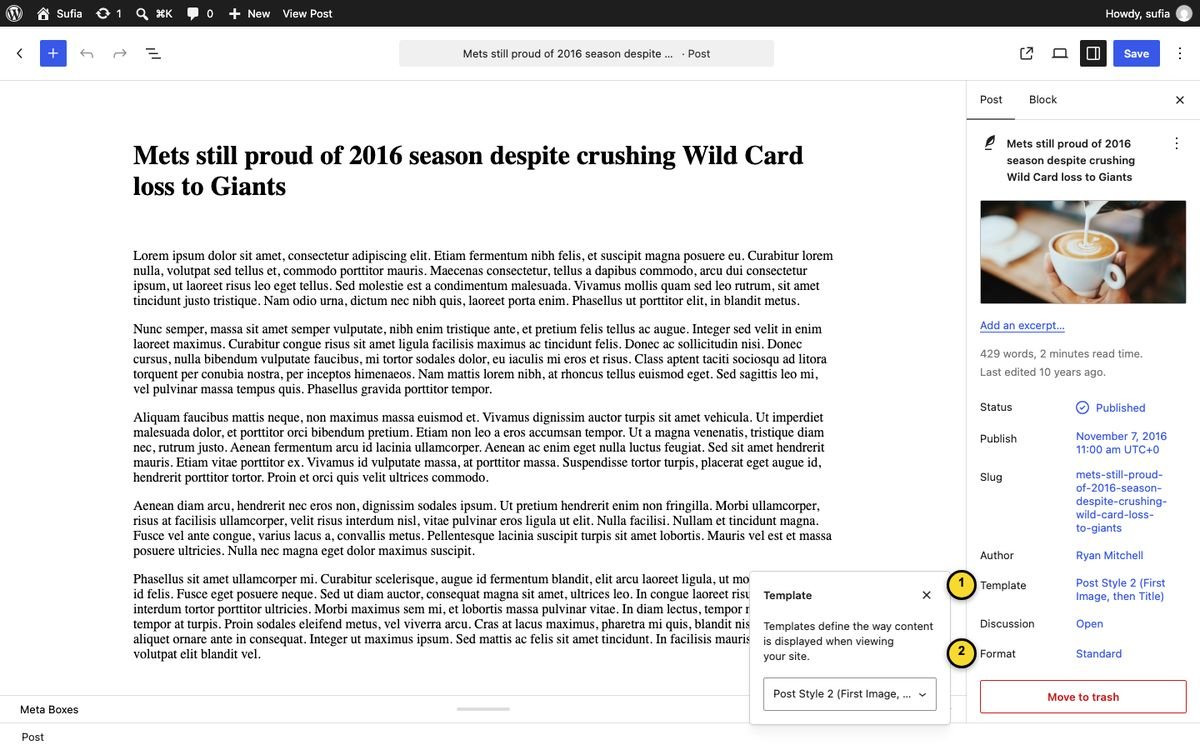
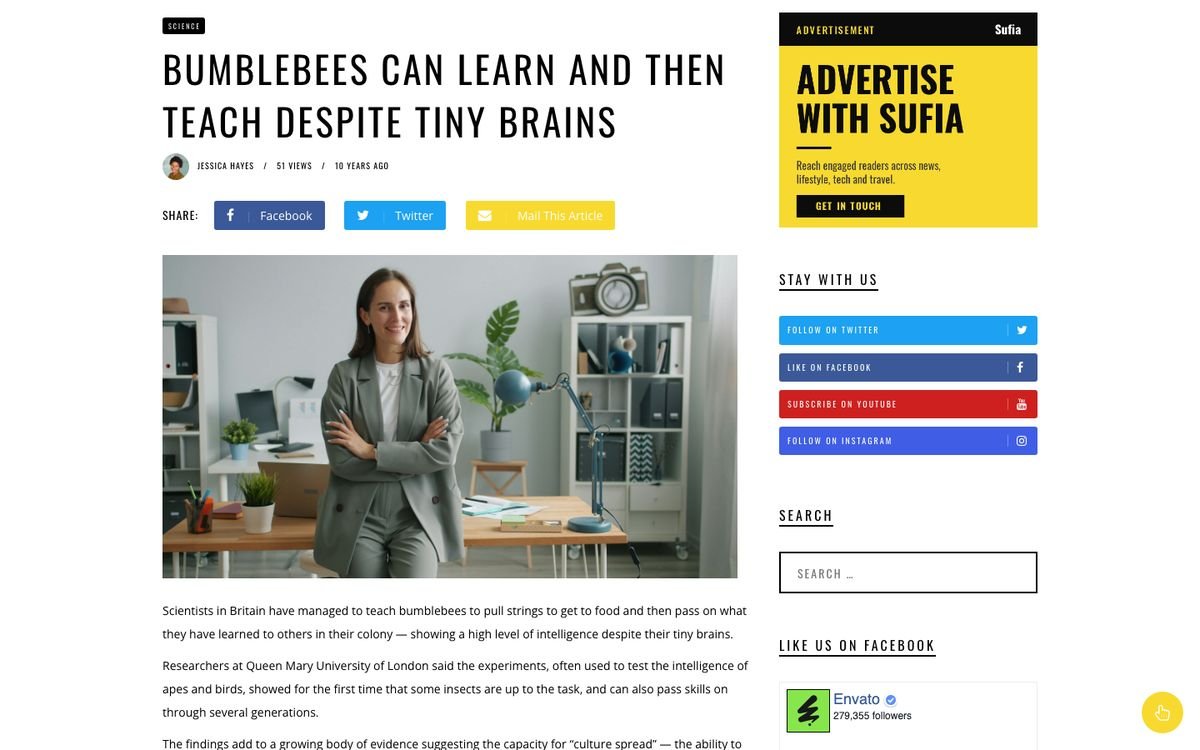
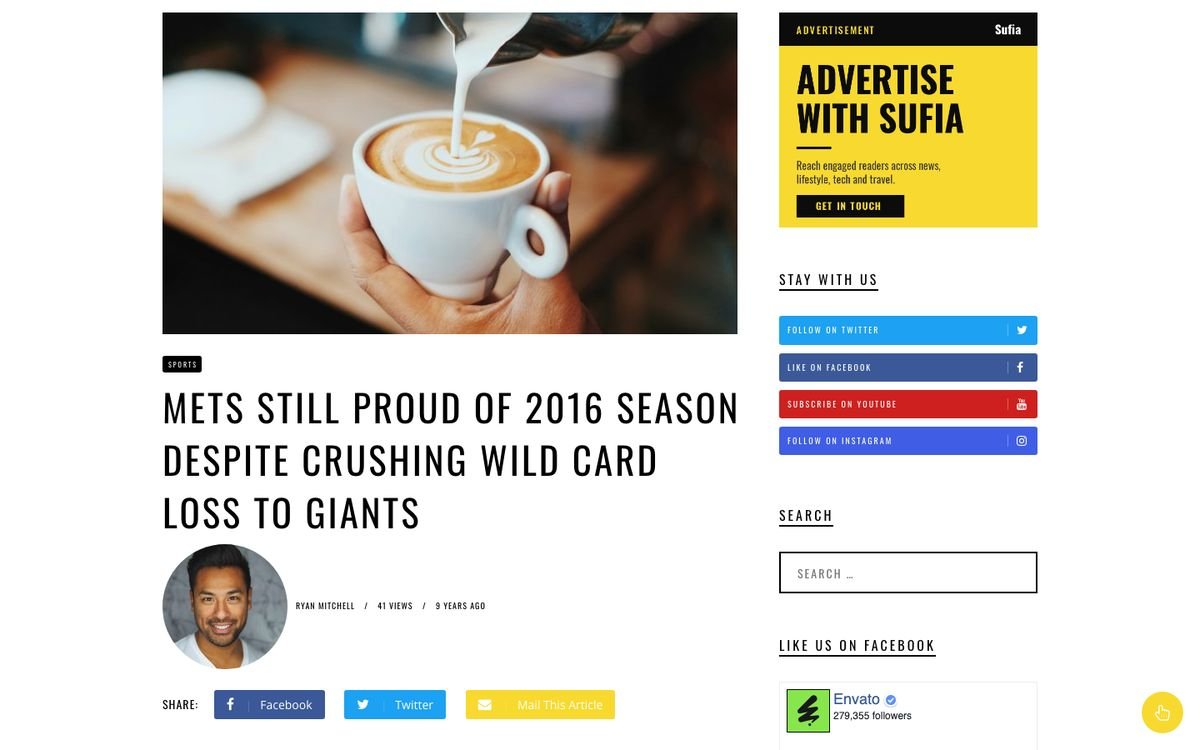
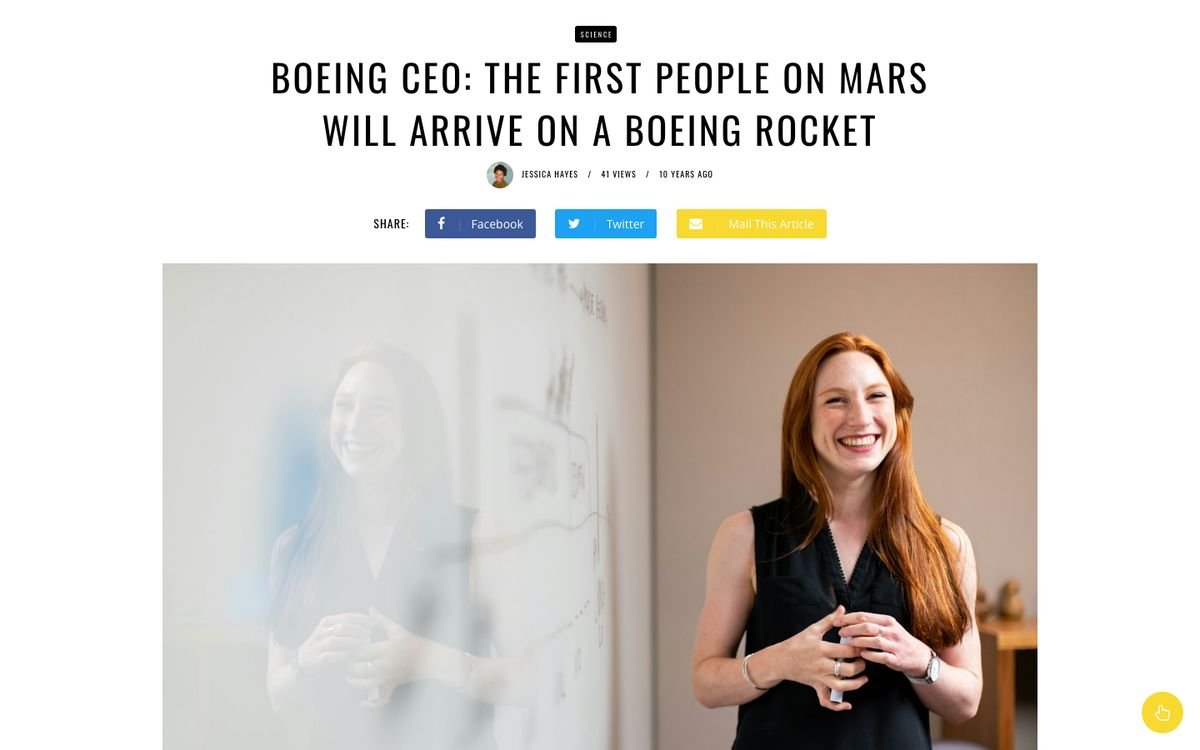
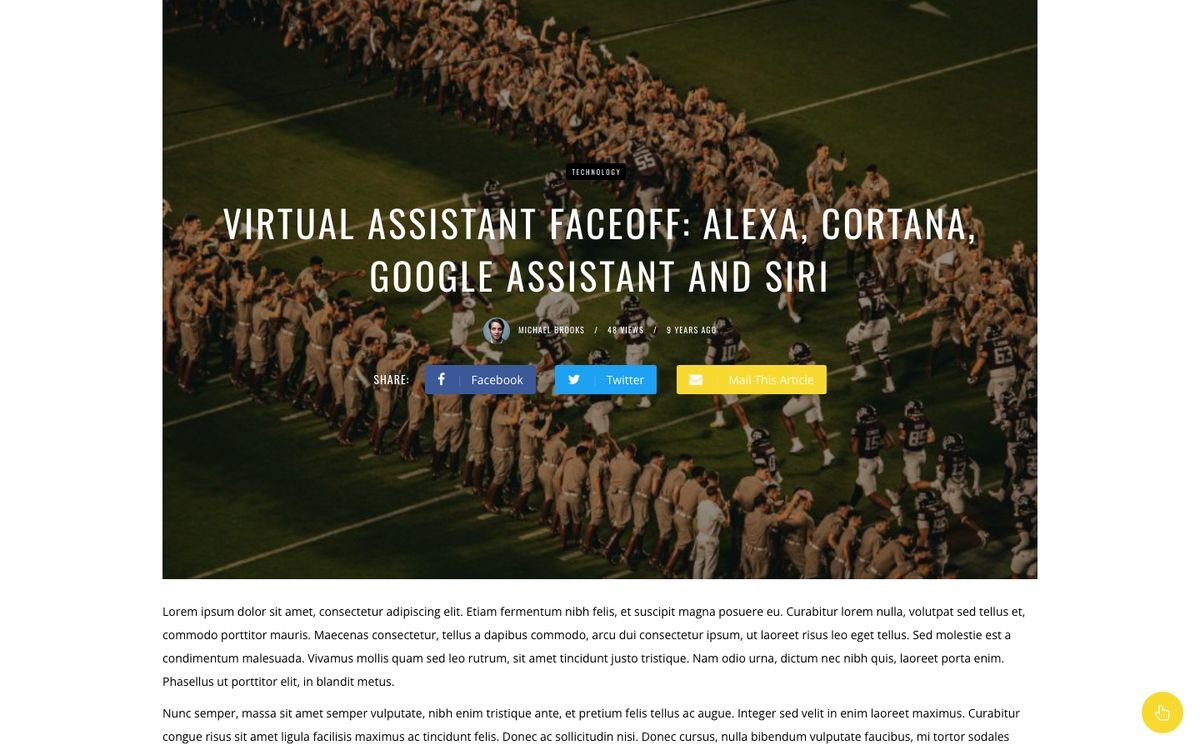
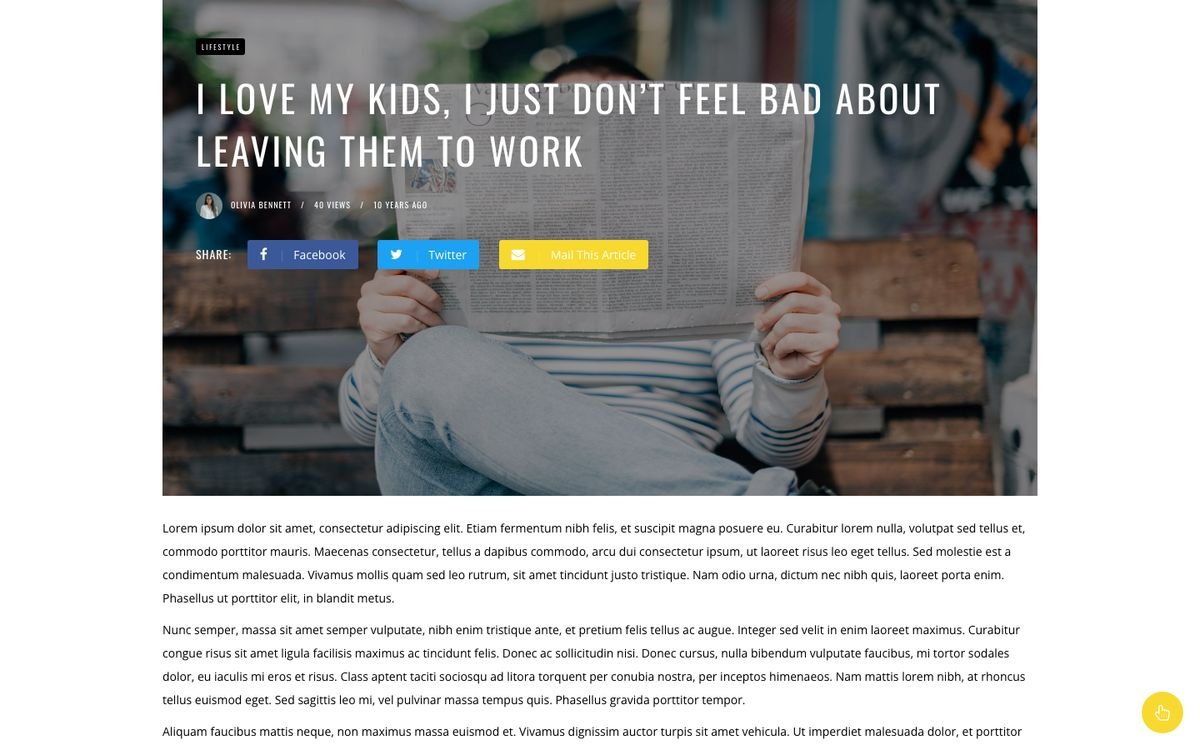
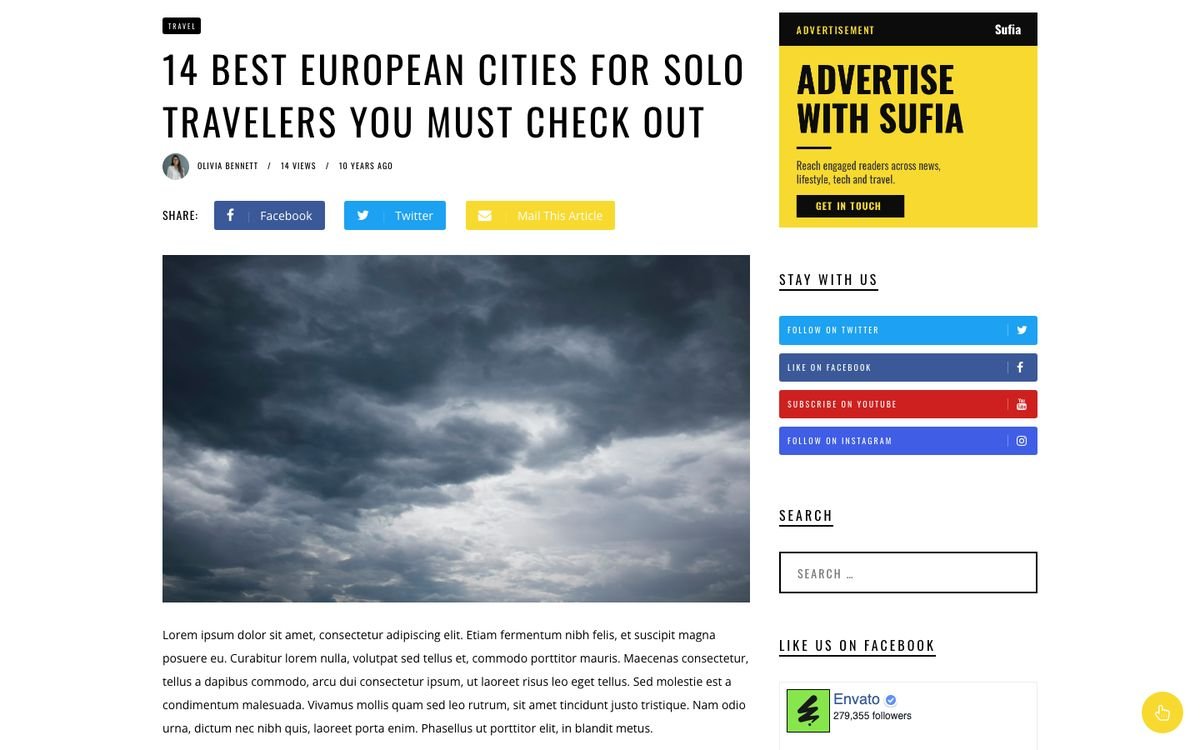
Open a post and choose the style in the post sidebar → Template: Default template (style 1) or Post Style 2 (First Image, then Title), Post Style 3 (Full-width), Post Style 4 (Full-width Image Overlay), Post Style 5 (content overlay at left side).
Post formats: audio, video, gallery
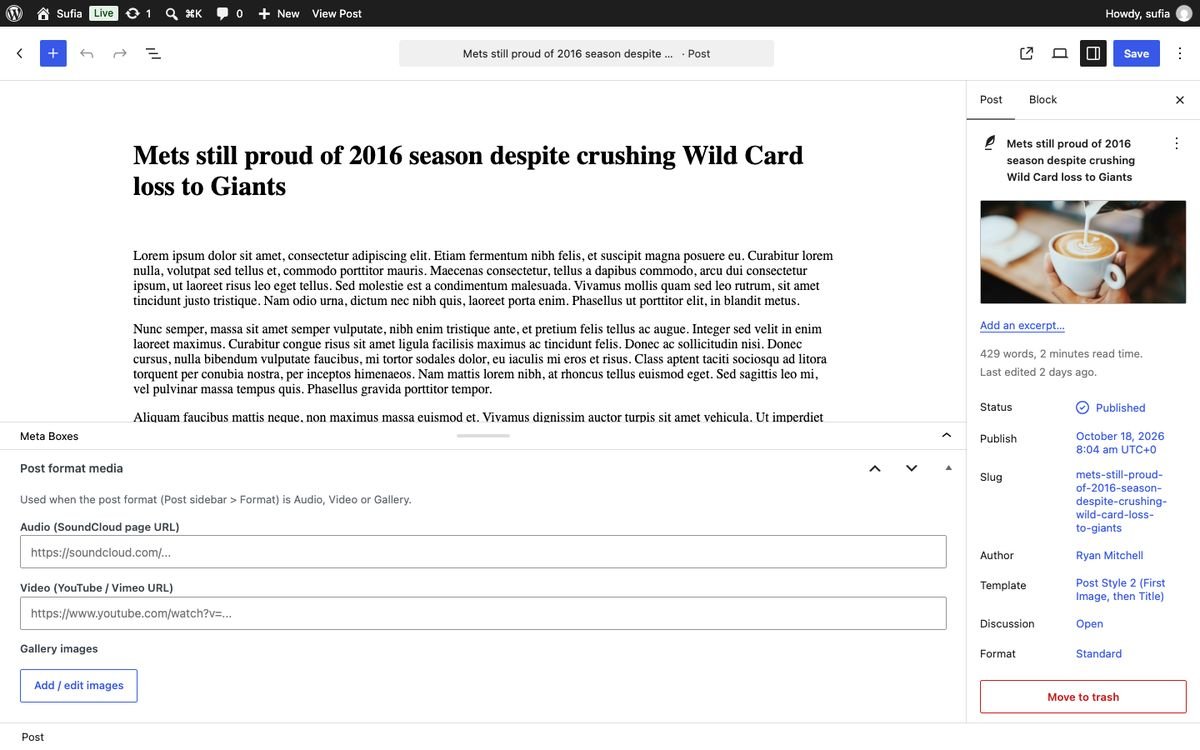
Set Format in the post sidebar, then fill the Post format media box under the editor:
- Audio (SoundCloud page URL) for Audio posts.
- Video (YouTube / Vimeo URL) for Video posts.
- Gallery images: Add / edit images, select several images, drag to reorder. Gallery posts show them as a slider.
Author box and author profile
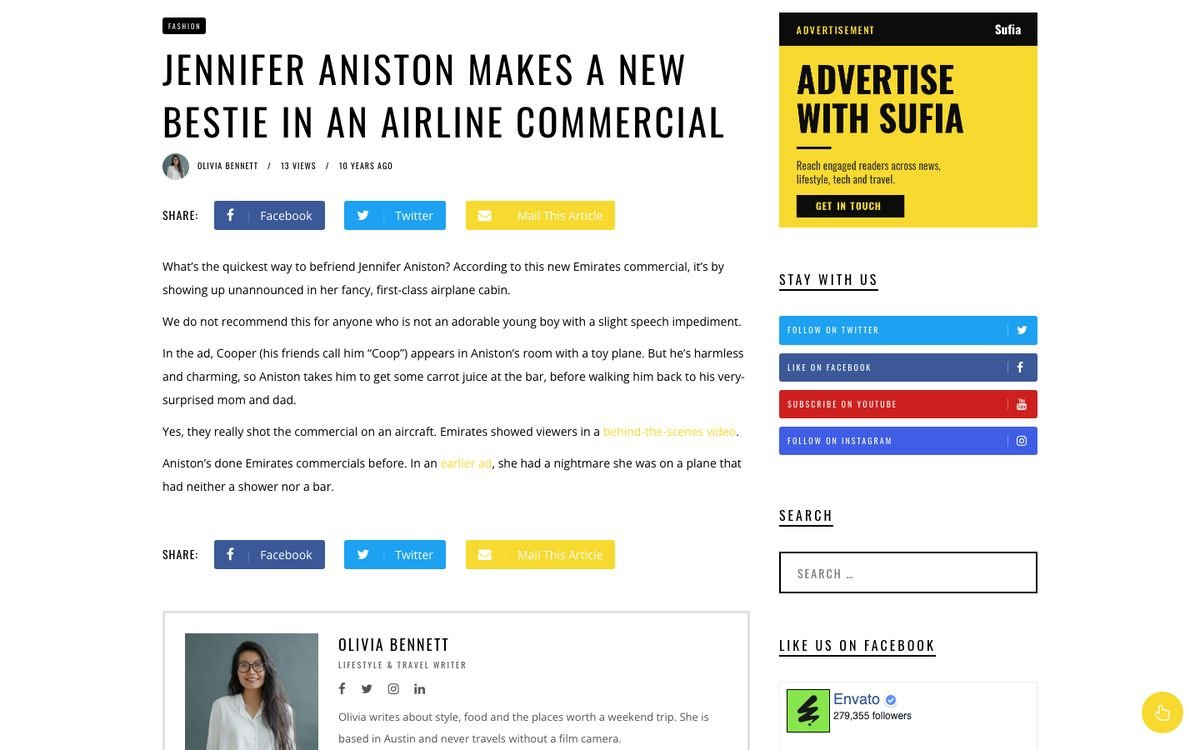
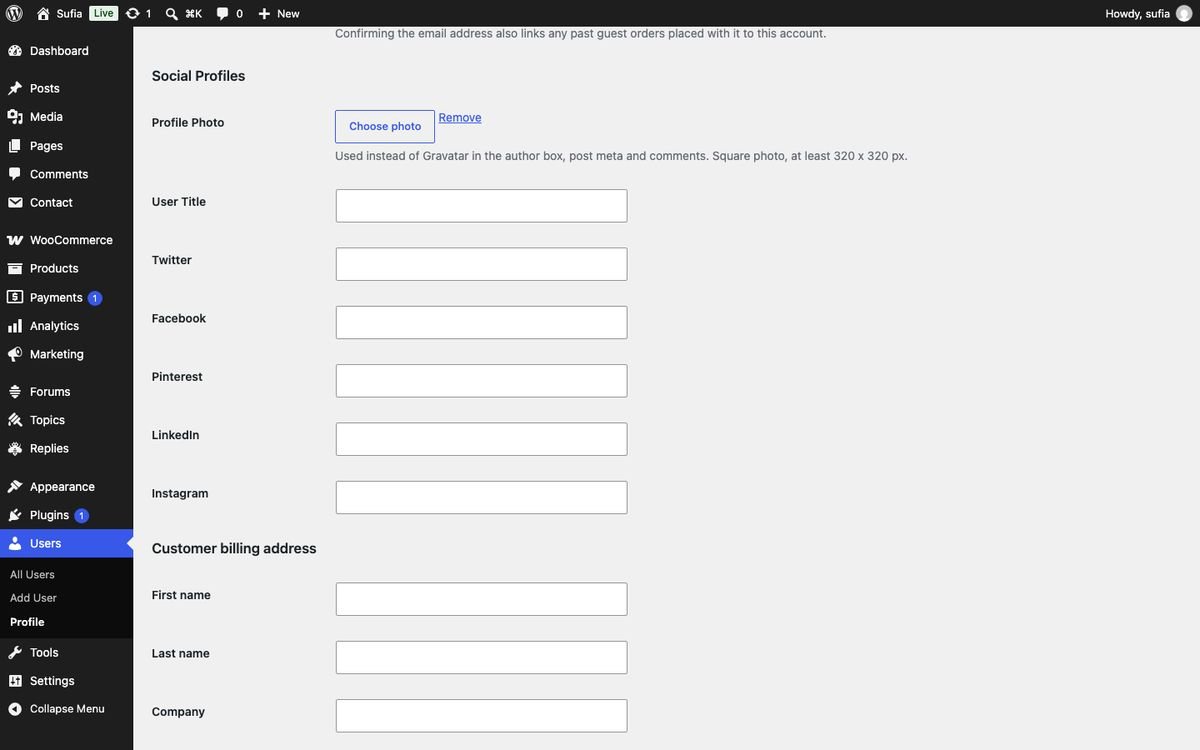
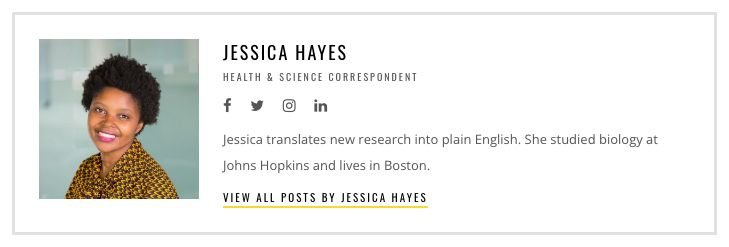
The author box under every post (option Author Box in Blog Settings) shows the author's photo, name, title, social links, bio and a View all posts by ... link. Each author edits it in Users → Profile:
- Profile Photo: Choose photo from the Media Library (square, 320 x 320 px or more). It replaces Gravatar everywhere.
- User Title (for example Editor-in-Chief), Twitter, Facebook, Pinterest, LinkedIn, Instagram: a user name or the full profile URL.
- Biographical Info (WordPress field) is the bio.
Related posts, share buttons and tags
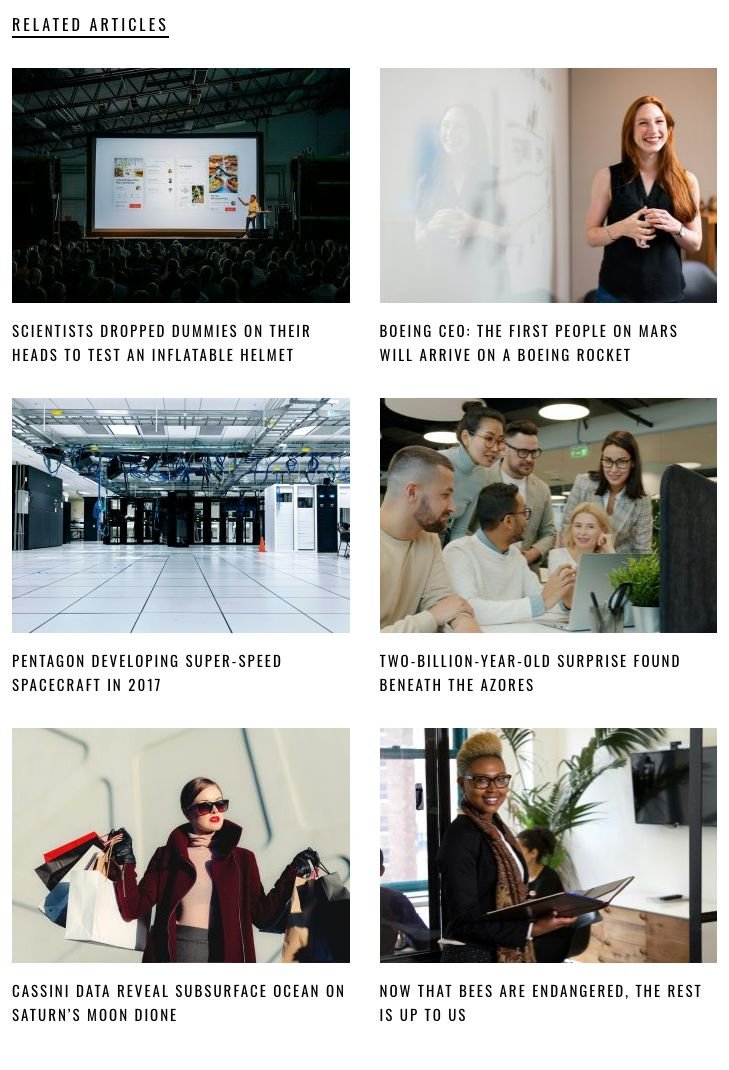
In Blog Settings: Related Posts with Number of Related Post (66%) (styles 1-2, two per row) and Number of Related Post (100%) (styles 3-5, three per row); Top Social Share, Bottom Social Share and the networks; Show Tags.
Post views
Sufia counts views itself: one view per visitor per post and browser session, counted with a tiny script so it also works with page caching. Editors, administrators and search-engine bots are not counted. Views show as "1.2K views" in the post meta and the featured panels, and KT Popular Posts lists the most viewed posts. Old counts from WP-PostViews are kept.
Sticky sidebar
Sticky Sidebar (Blog Settings, on by default) keeps the sidebar in view while you scroll long articles and homepages, below the admin bar. A sidebar taller than the screen scrolls first and then sticks at its bottom. It is off on screens under 992 px.

10.Archives and pages
| Page | How |
|---|---|
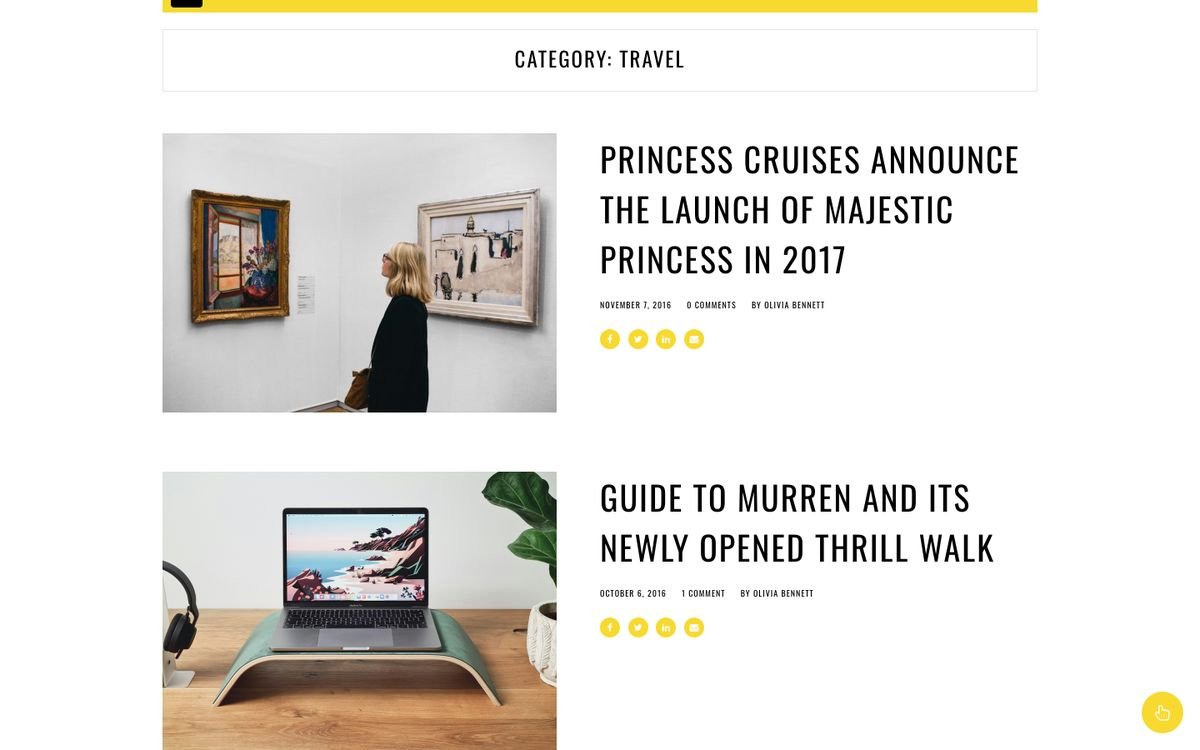
| Category / tag / date archives | Automatic. Category pages list posts with large images and pagination. |
| Author archive | Automatic: the author box on top, then the author's posts. |
| Authors list | Page template Authors List: all authors with photo, bio and links. |
| Page with sidebar | Page template Page with Sidebar (uses the Page Sidebar widget area). |
| Contact | Normal page with a Contact Form 7 shortcode. |
| Search results / 404 | Automatic. |


11.WooCommerce and bbPress
Install and activate WooCommerce and/or bbPress (Appearance → Install Plugins). Sufia styles them; no extra settings are needed.
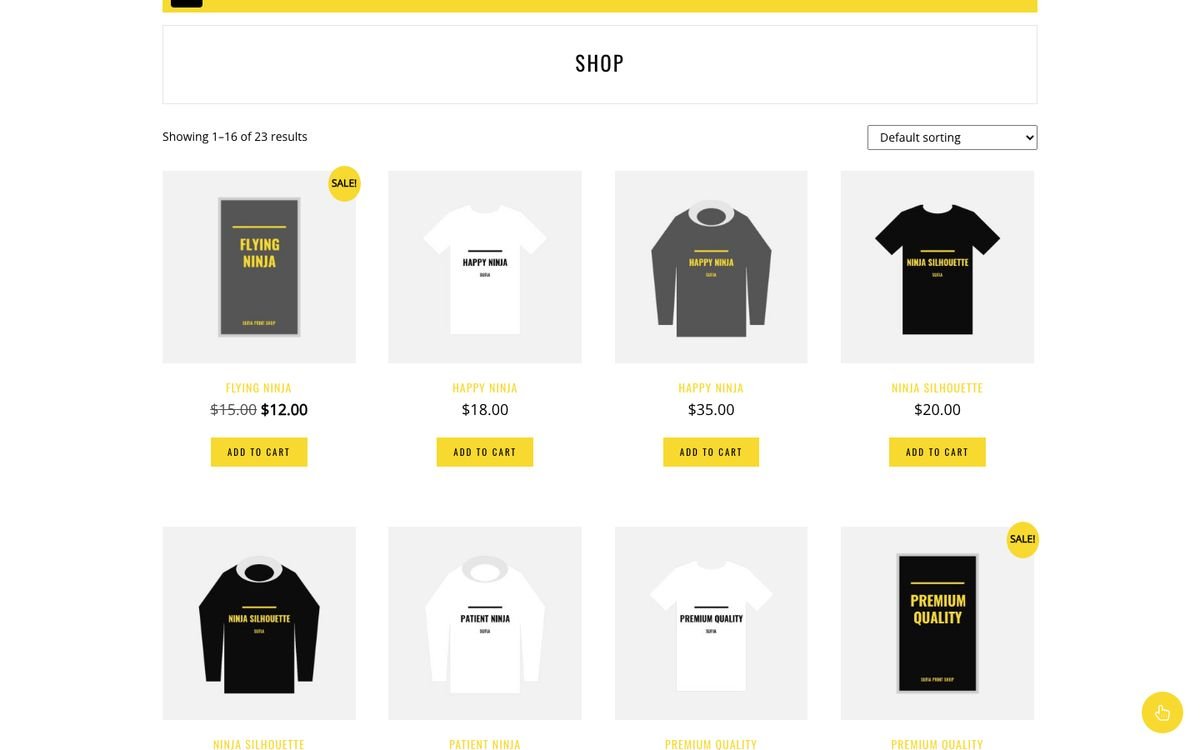
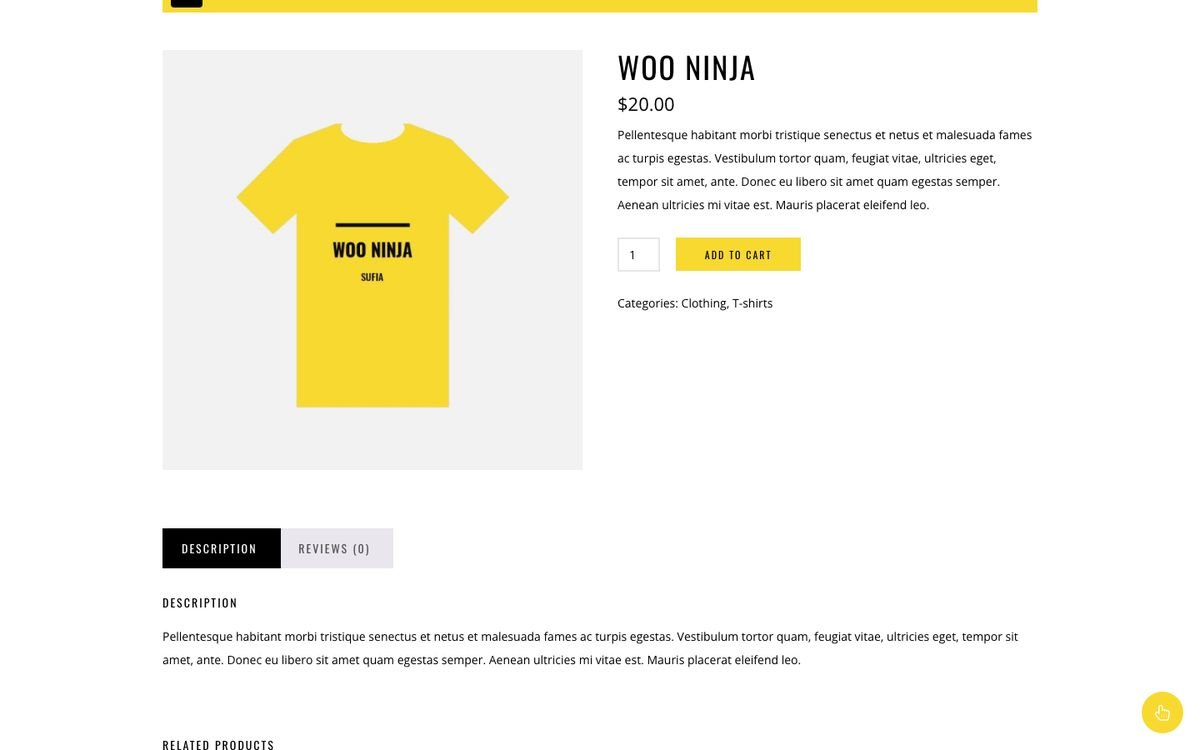
- WooCommerce: shop, product, cart, checkout and account pages use Sufia's fonts and yellow buttons. Run the WooCommerce setup and choose the Shop / Cart / Checkout / My Account pages (the demo import sets them).
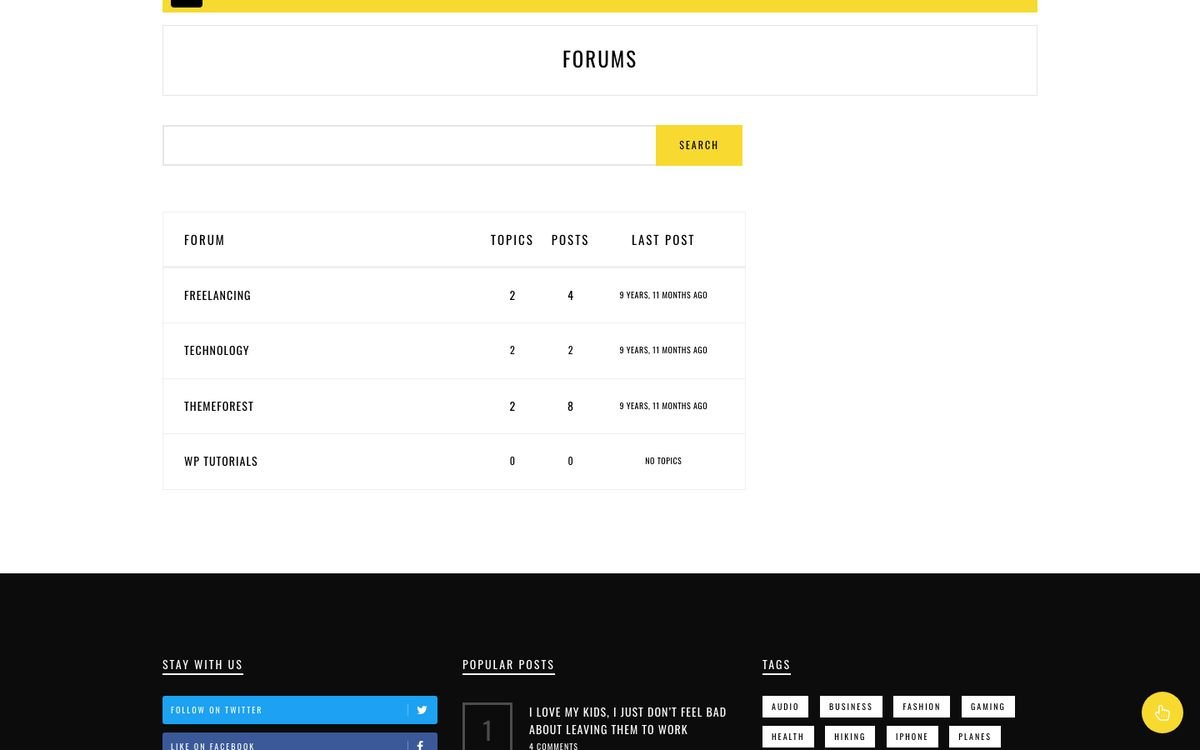
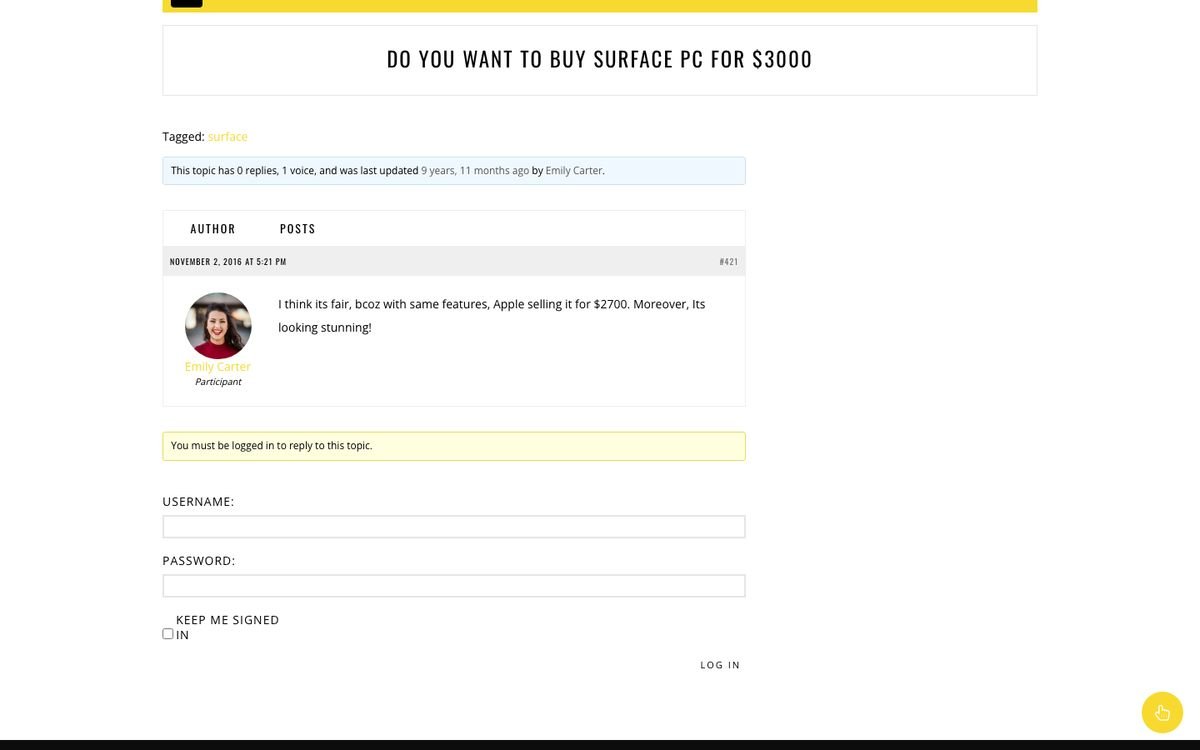
- bbPress: forums and topics use the theme layout with the BBPress Sidebar widget area.
- Link them from the Top Menu like the demo ("Shop", "bbPress").
12.Translation and RTL
All theme texts use the text domain sufia. The template is sufia/languages/sufia.pot.
- Easiest: install the free Loco Translate plugin, open Loco Translate → Themes → Sufia, add your language and translate.
- Or use Poedit: create
sufia-xx_XX.po/.mo(for examplesufia-de_DE.mo) from the .pot and put them inwp-content/languages/themes/.
Texts you type yourself (widget titles, Theme Options, menus) are translated where you typed them, or with WPML / Polylang string translation.
13.FAQ and troubleshooting
| Question | Answer |
|---|---|
| My homepage shows the latest posts list, not the magazine layout. | Set a page with a Template One...Ten as the front page in Settings → Reading. |
| A homepage section is empty. | The widget's category has no posts, or the category was deleted. Open the widget and choose a category again, or switch to Show latest Posts. |
| Theme Options menu is missing. | Activate the Redux Framework plugin. Without it the theme still works with its default settings. |
| Images look stretched or blurry. | Upload images of at least 1050 px width. After changing themes, regenerate thumbnails with the free Regenerate Thumbnails plugin. |
| The widgets screen looks different from the screenshots. | Sufia uses the classic widgets screen. If a plugin forces the block widget editor, deactivate that plugin or install the Classic Widgets plugin. |
| Views stay at 0 while I test. | Views from logged-in editors and administrators are not counted. Test in a private window. |
| The search icon is not visible on my phone. | That is by design: the top bar search is hidden under 480 px. |
| Where are my old ACF gallery images? | In the Post format media box; Sufia reads the same field, nothing is lost. |
| Can I use the demo photos? | No. The demo photos are for preview only and are downloaded from the demo server; replace them with your own images. |
14.Changelog
3.0.0 - October 2026
- Compatibility: PHP 8.0-8.5 and WordPress 6.x / 7.x - all PHP warnings, deprecations and the "translation loaded too early" notices fixed.
- Fixed: fatal error (white screen) on fresh installs caused by the old bundled Sticky Sidebar plugin.
- New built-in sticky sidebar (Theme Options > Blog & Single > Sticky Sidebar), replaces the Theia Sticky Sidebar plugin. If the old plugin is still active the theme leaves sticking to it.
- Post format fields (audio URL, video URL, gallery) are built into the theme; ACF 4 is no longer needed. Same meta keys - existing posts keep their media.
- Single post styles 2-5 are native WordPress post templates (Post > Template); the Single Post Template plugin is no longer needed. Posts that used it keep their style.
- Fixed: related posts and archive/search grids no longer leave gaps when titles have different lengths.
- Fixed: related posts (full width styles) now use the "Related posts number" option.
- Security: escaping, sanitizing and nonces across widgets, templates and the user profile fields.
- Updated libraries: Bootstrap 3.4.1, Font Awesome 4.7.0, Flickity 2.3.0, Pace 1.2.4; deprecated jQuery calls replaced (works without jQuery Migrate).
- TGM Plugin Activation 2.6.1; plugins now installed from WordPress.org (Redux, WP AJAX Login and Register, Contact Form 7, WooCommerce, bbPress). User Submitted Posts and WP-PostViews are no longer used.
- WooCommerce 11 and bbPress 2.6 checked with the theme styles.
- Google+ (closed in 2019) hidden: share button, top bar icon, author link and follow widget. Saved settings are kept.
- Demo import: the demo data is no longer bundled; it is downloaded from https://sufia.fekbd.com/ (versioned, size + checksum checked, clear error message, manual upload fallback).
- Theme Options (option name sufia_option) unchanged - existing settings keep working.
2.0 - February 2018
- Pagination on archive pages.
15.Support and credits
Need help? Open a ticket at fekbd.com/support. Please include your purchase code, the page URL and a screenshot. Support covers questions about the theme's features and bug fixes; custom changes are not included.
| Library | License |
|---|---|
| Bootstrap 3.4.1 | MIT |
| Font Awesome 4.7.0 | CSS MIT, font SIL OFL 1.1 |
| Flickity 2.3.0 | GPLv3 |
| Pace 1.2.4 | MIT |
| SlickNav 1.0.10, Pushy 1.0.0, jQuery News Ticker | MIT |
| Basic jQuery Slider 1.3 | GPL |
| TGM Plugin Activation 2.6.1 | GPLv2+ |
| Demo photos | Unsplash License, preview only (not included) |
No section matches your search. Try another word, for example "menu", "widget" or "banner".